

Syntax
A lesson is plain Markdown (CommonMark with the GitHub extensions). Trunade! gives meaning to a few fenced blocks and two HTML comments. Everything else is text.
Each example shows the Markdown and, right below it, how it shows on the Trunade! page, already run.
Summary
| Write | Becomes |
|---|---|
```cpp |
runnable block (any configured language) |
```cpp {flags="-O2" timeout=5} |
block with extra flags and its own time limit |
```cpp template=name |
declares a hidden template |
```cpp-name |
block that uses the template name |
```stdin |
fixed input for the block above (one test case) |
```expected |
expected output for the case above, with a ✓/✗ verdict |
```quiz |
multiple choice question |
<!-- step: Title --> … <!-- /steps --> |
exercise in steps |
$x$, $$x$$, ```math |
formula (KaTeX) |
```mermaid |
diagram |
> [!NOTE], > [!TIP]… |
callout box |
<img>, <iframe>, <div>… |
HTML, as is |
data-reveal on an HTML element |
hidden until the lesson reaches its section |
Any other fence (```text, ```bash, ```json) stays highlighted code, with no ▶.
Runnable blocks
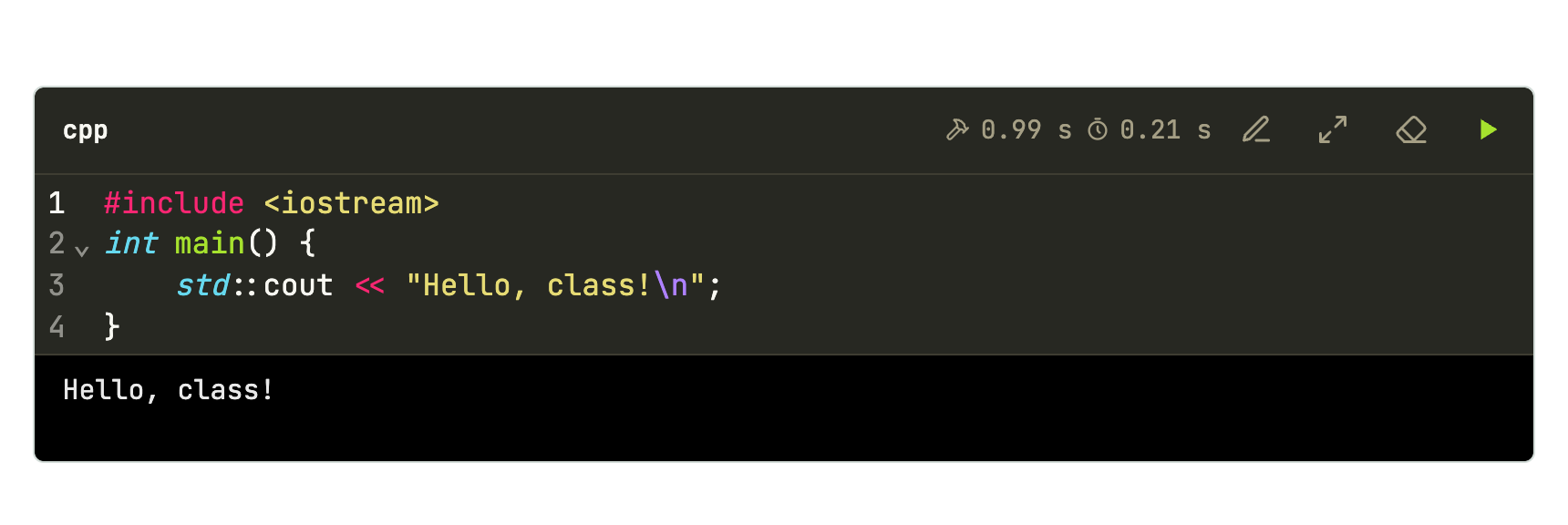
A fence whose language is configured becomes an editable box with ▶. Each block is a whole program, compiled from scratch; nothing carries over from one block to the next.
```cpp
#include <iostream>
int main() {
    std::cout << "Hello, class!\n";
}
```
| Language | Names accepted in the fence |
|---|---|
| C++ | cpp, c++, cxx, cc |
| C | c |
| Python | python, py, python3 |
Other languages come in through the configuration. Case does not matter: C++ and c++ are the same.
Attributes
In braces, after the language. There are only two.
| Attribute | Example | Effect |
|---|---|---|
flags |
flags="-O2 -DDEBUG" |
flags added to the configured ones, separated by spaces |
timeout |
timeout=1.5 |
time limit in seconds (only with fixed input) |
```cpp {flags="-DDEBUG -O2" timeout=2}
#include <iostream>
int main() {
#ifdef DEBUG
    std::cout << "debug mode\n";
#endif
    std::cout << "done\n";
}
```

```expected
debug mode
done
```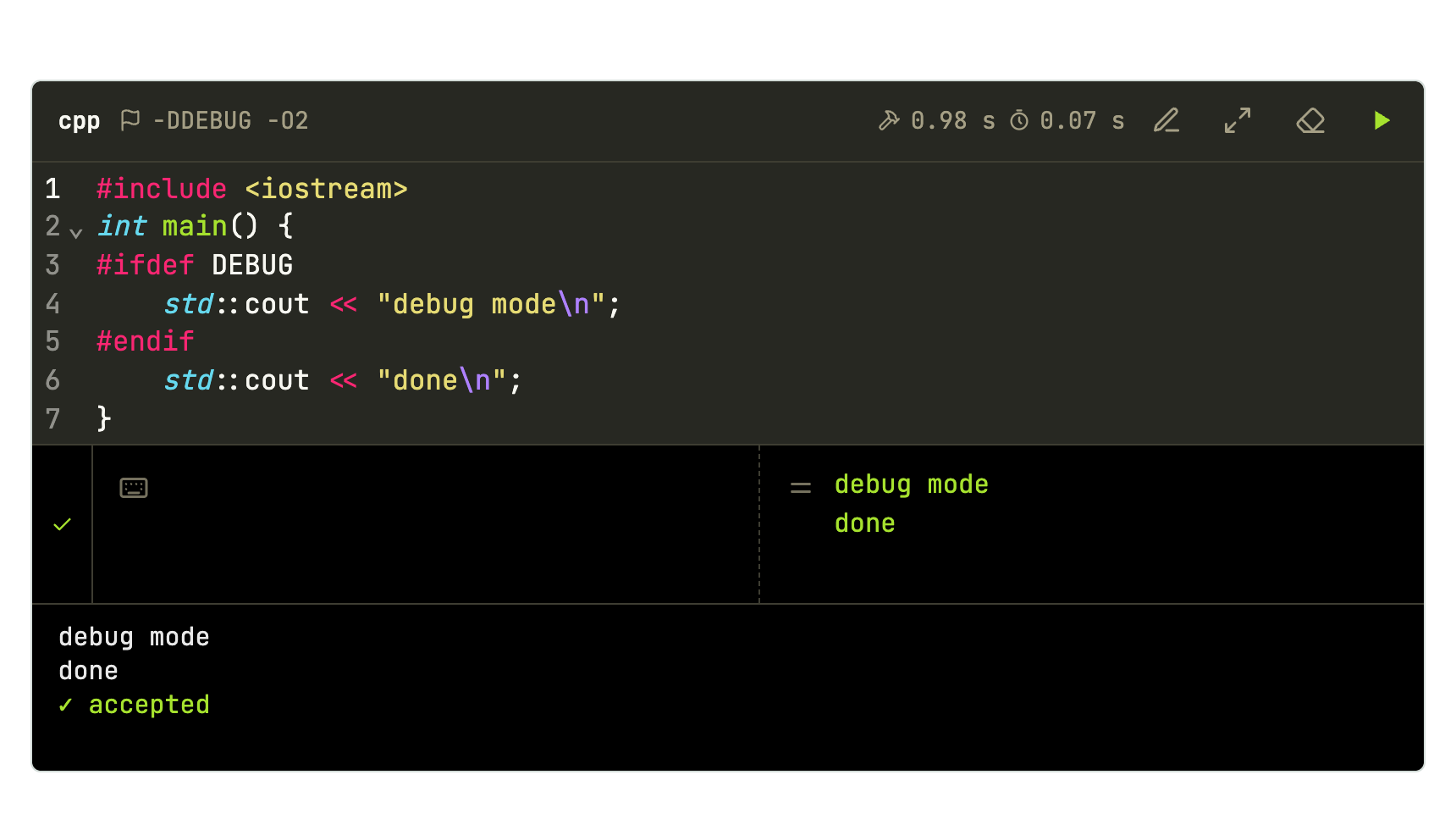
Quotes are needed when the value has spaces. The flags show in the block’s bar.
Templates
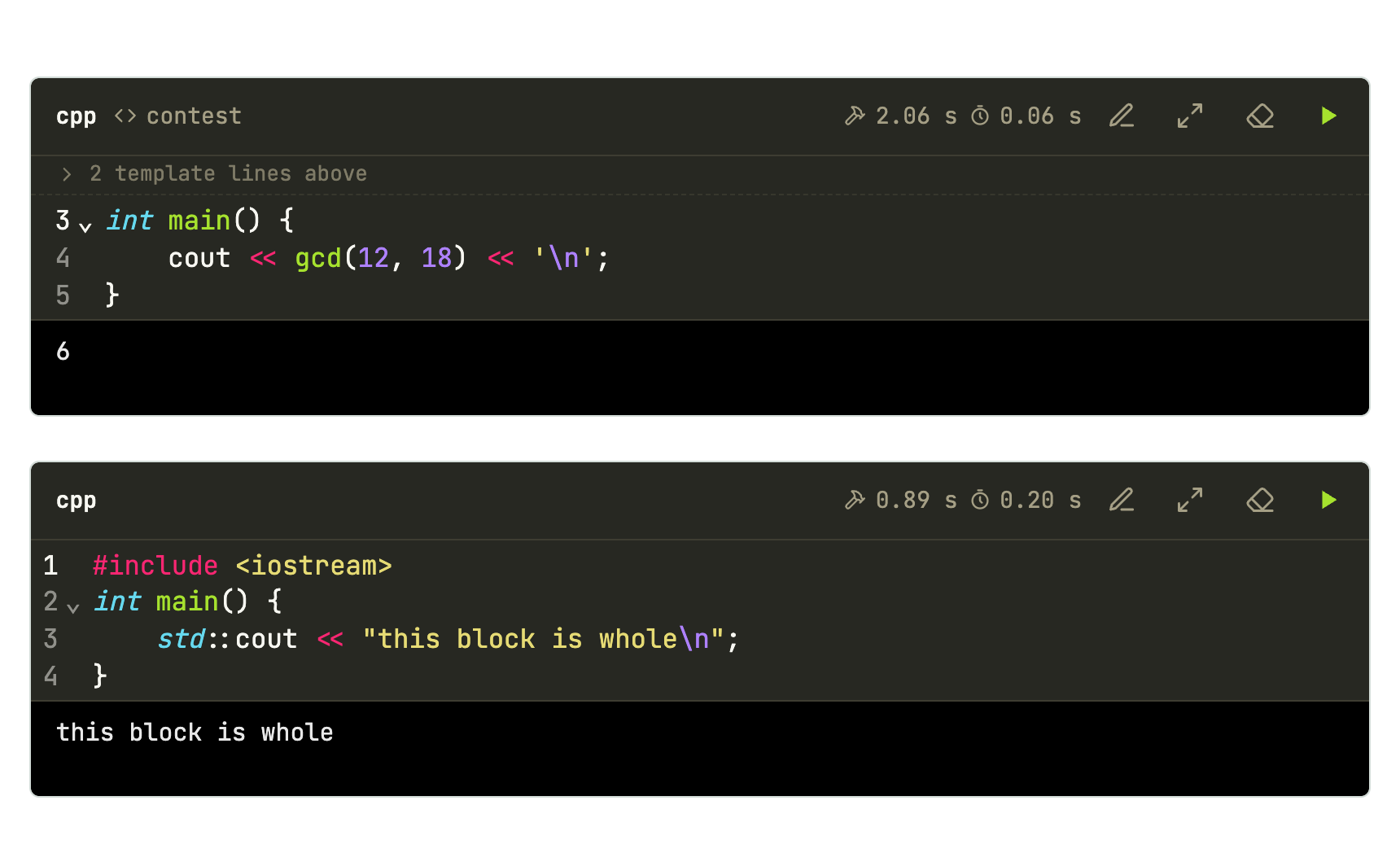
A template is the code that repeats (headers, using namespace std, fast input, a fixed main). It has a name, is declared once and stays hidden. Only a block that asks for it uses it, with the name after the language: ```cpp-contest. A block without a name stays whole.
The {code} line marks where the block goes in the template:
```cpp template=contest
#include <bits/stdc++.h>
using namespace std;
//{code}
```

```cpp-contest
int main() {
    cout << gcd(12, 18) << '\n';
}
```

```cpp
#include <iostream>
int main() {
    std::cout << "this block is whole\n";
}
```
Rules:
- Declare with
template=nameafter the language. The name has no spaces (letters, digits,_). - Use with
language-name:```cpp-contest,```c++-contest,```python-io. Language aliases work. - The template must be declared before the block that uses it. Declaring the same name again changes the template for the blocks that follow.
- Templates belong to a language: a C++
ioand a Pythoniocoexist. - The marker is a line with only
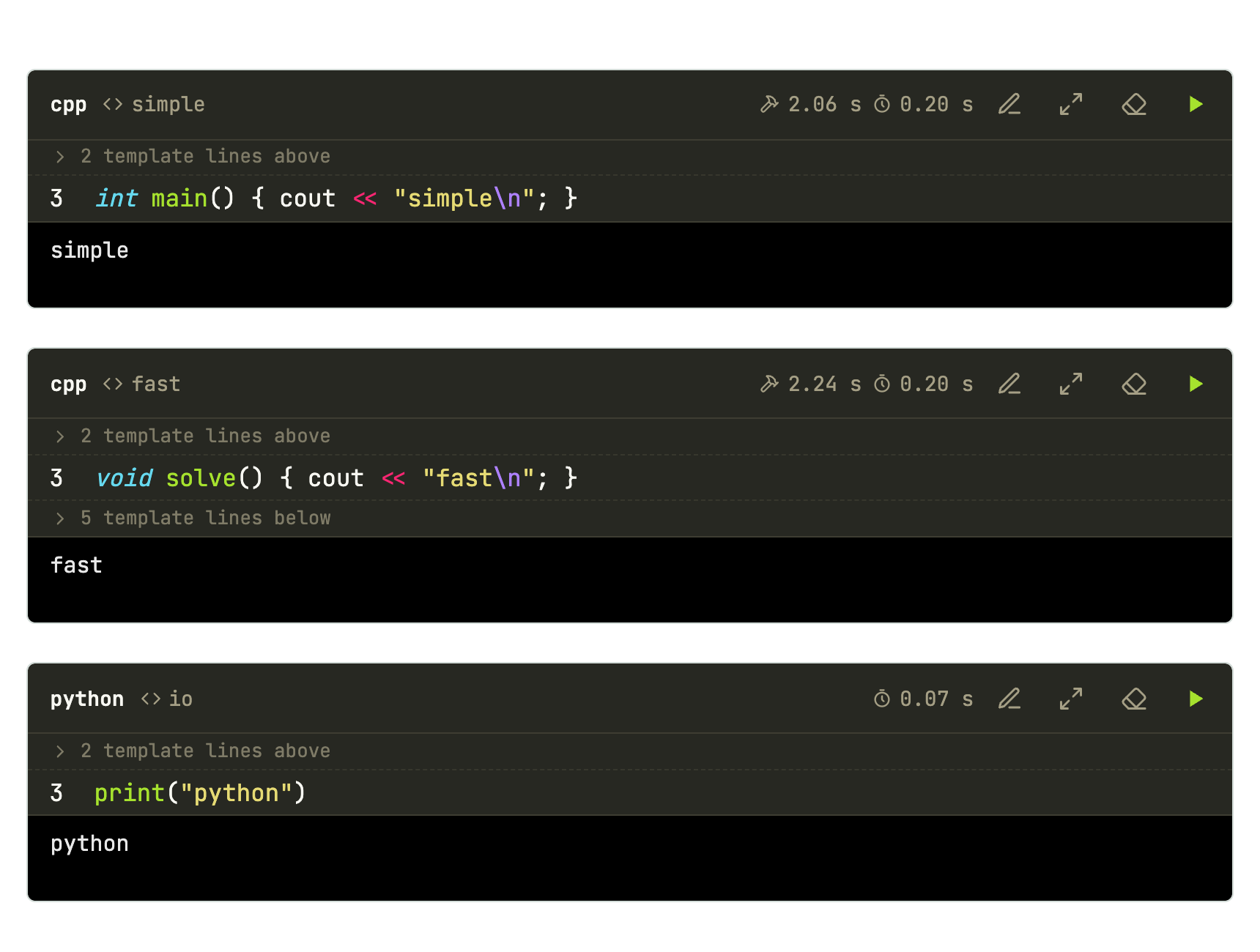
{code}, possibly behind a comment of the language://{code},// {code},# {code}. Without a marker, the whole template goes before the block. - The declaration does not show on the page. The block shows the template name in its bar and a discreet strip, “2 template lines above”, that opens the hidden part dimmed and read-only.
- Line numbers are those of the whole program, so
main.cpp:4:5: errorpoints at the line 4 you see. - Typos show on the page itself, in a warning box: a
templatewithout a name, or a block asking for a template not declared.
Template with code after
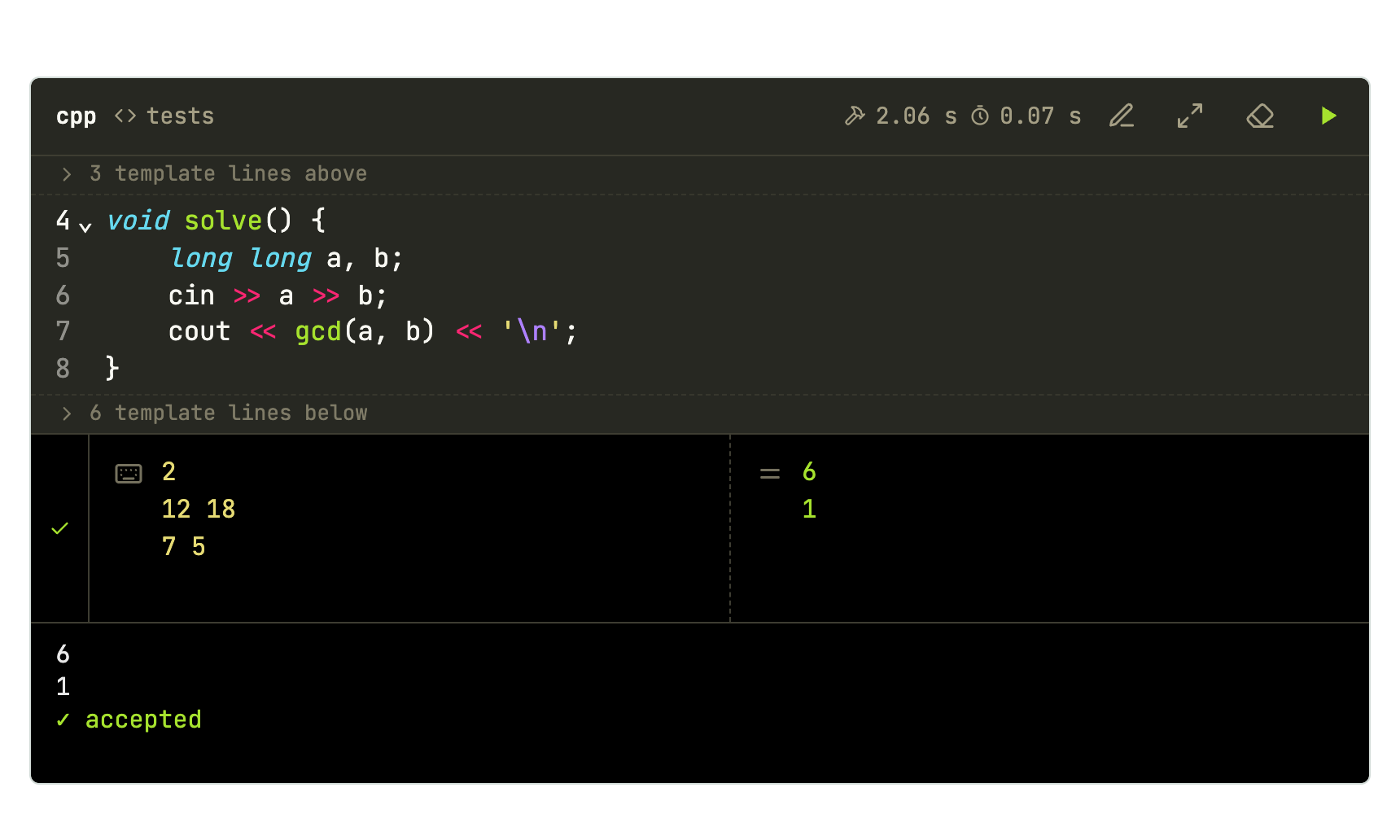
What comes after {code} is compiled too. The block can then hold only the function that matters:
```cpp template=tests
#include <bits/stdc++.h>
using namespace std;

//{code}

int main() {
    int t;
    cin >> t;
    while (t--) solve();
}
```

```cpp-tests
void solve() {
    long long a, b;
    cin >> a >> b;
    cout << gcd(a, b) << '\n';
}
```

```stdin
2
12 18
7 5
```

```expected
6
1
```
Several templates in one lesson
```cpp template=simple
#include <bits/stdc++.h>
using namespace std;
//{code}
```

```cpp template=fast
#include <bits/stdc++.h>
using namespace std;
//{code}
int main() {
    ios::sync_with_stdio(false);
    cin.tie(nullptr);
    solve();
}
```

```python template=io
import sys
input = sys.stdin.readline
# {code}
```

```cpp-simple
int main() { cout << "simple\n"; }
```

```cpp-fast
void solve() { cout << "fast\n"; }
```

```python-io
print("python")
```
Input and test cases
stdin and expected blocks right after a runnable block, separated from it only by blank lines, are its test cases. With any text in between, they become ordinary blocks.
Fixed input
```cpp
#include <iostream>
int main() {
    int a, b;
    std::cin >> a >> b;
    std::cout << a + b << "\n";
}
```

```stdin
2 40
```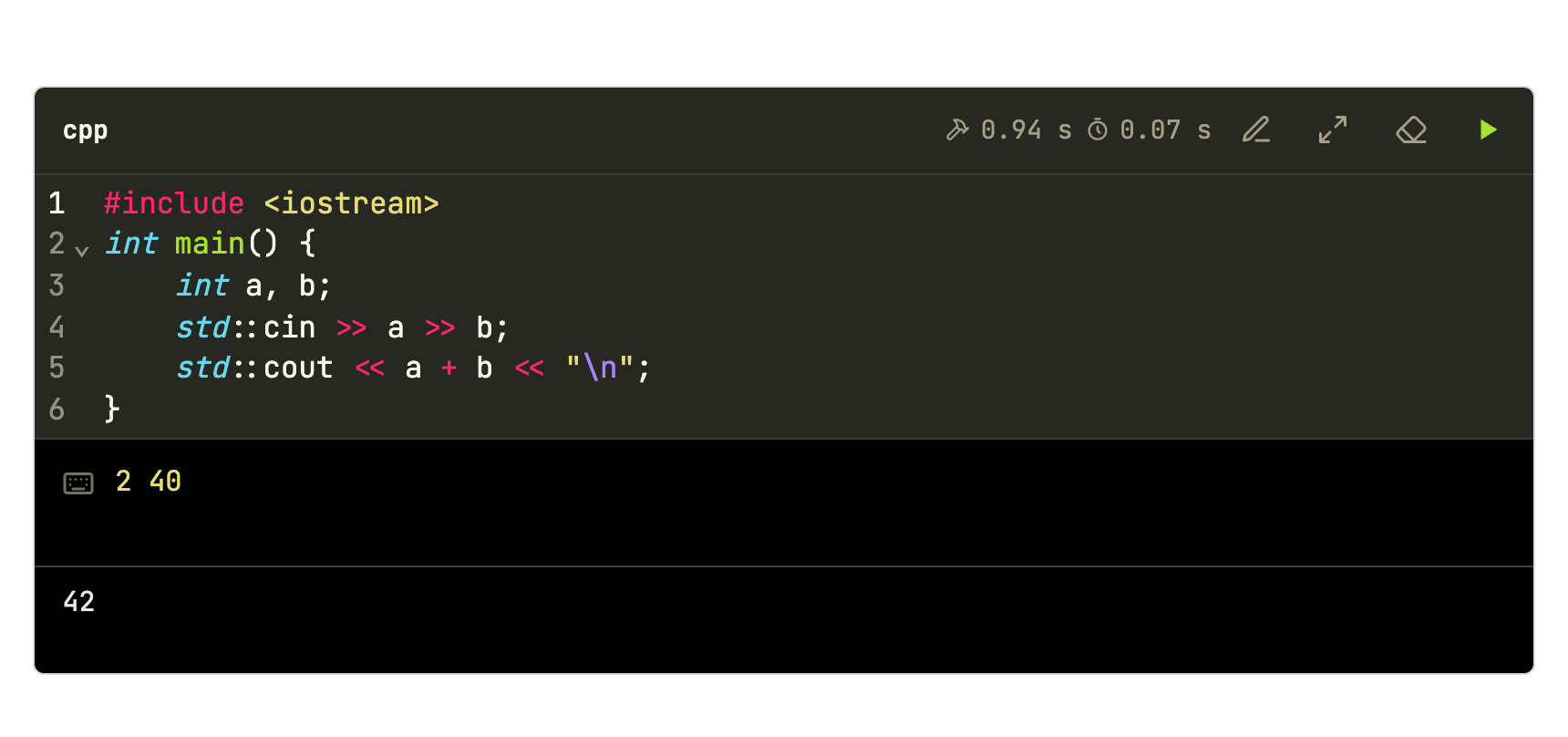
With fixed input the program runs on pipes: stdout and stderr show separately (stderr in red) and the time limit applies. An empty stdin runs with no input and with the time limit.
Expected output and several cases
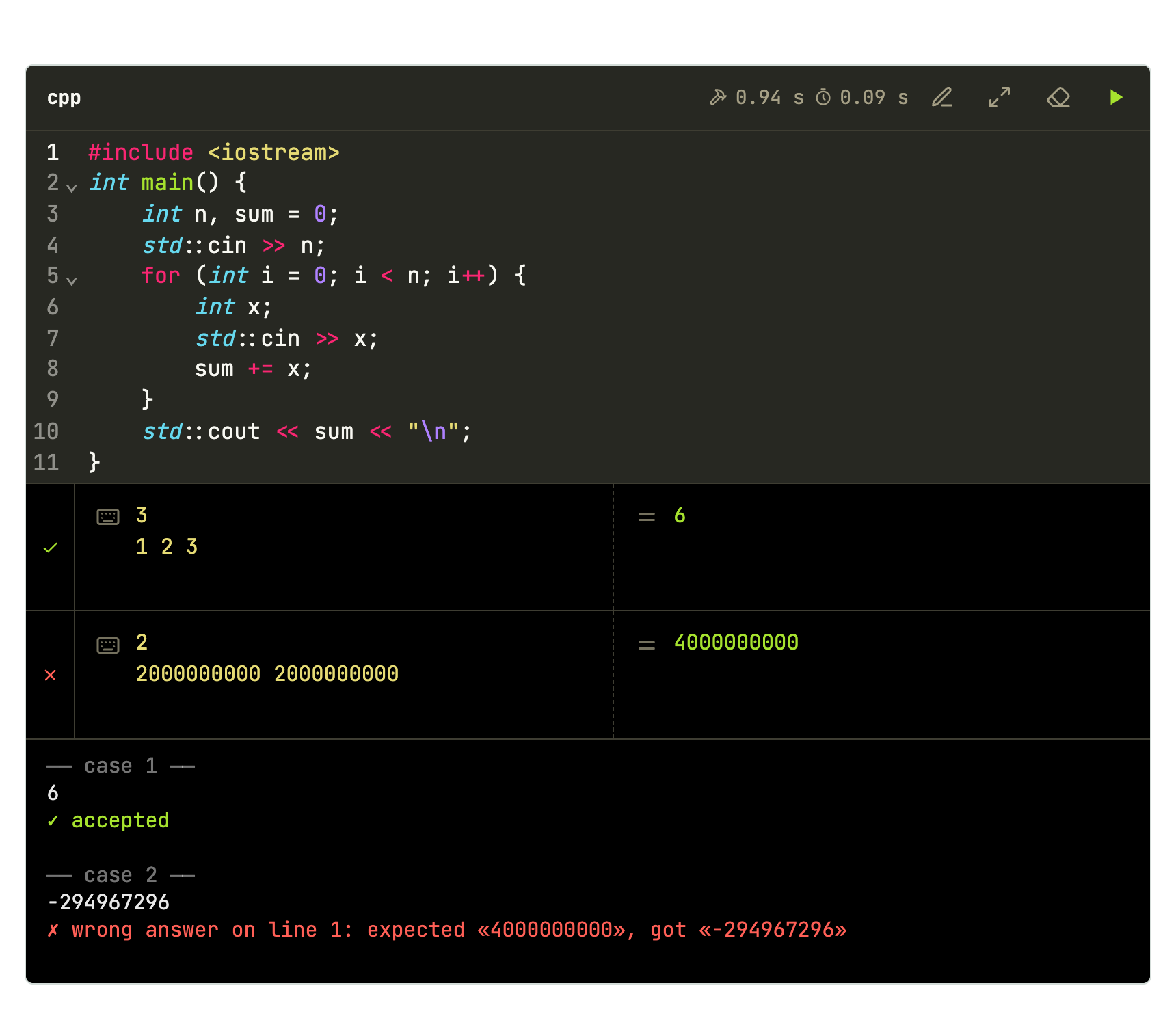
Each stdin opens a case; the following expected completes it. The program is compiled once and runs on each case, in order. Each case gets ✓ or ✗, and on ✗ the terminal says where the output differs, like a judge:
```cpp
#include <iostream>
int main() {
    int n, sum = 0;
    std::cin >> n;
    for (int i = 0; i < n; i++) {
        int x;
        std::cin >> x;
        sum += x;
    }
    std::cout << sum << "\n";
}
```

```stdin
3
1 2 3
```

```expected
6
```

```stdin
2
2000000000 2000000000
```

```expected
4000000000
```
The comparison:
- ignores trailing spaces on each line and trailing blank lines;
- counts leading spaces and any other difference;
- only compares when the program exited with code 0. A runtime error, signal or time limit is already ✗.
| Sequence after the block | Cases |
|---|---|
stdin |
1 case, no verdict |
stdin, expected |
1 case with a verdict |
expected |
1 case with empty input, with a verdict |
stdin, stdin |
2 cases, no verdict |
stdin, expected, stdin |
2 cases: the first with a verdict, the second without |
Interactive
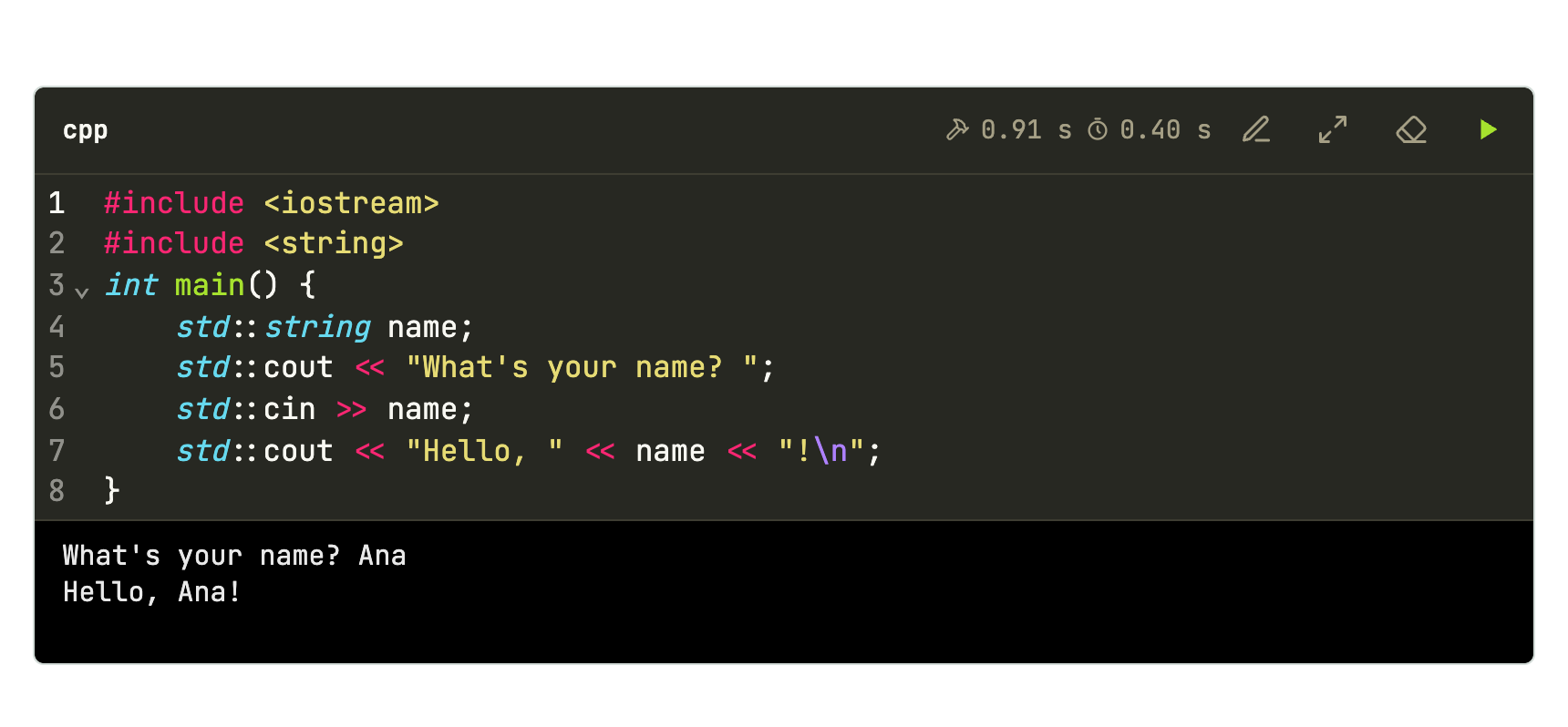
With no stdin or expected, the program runs in a real terminal: whoever is at the keyboard types into the page’s terminal. There is no time limit in this mode (use ■ to stop), and stdout and stderr come mixed, as in a terminal.
```cpp
#include <iostream>
#include <string>
int main() {
    std::string name;
    std::cout << "What's your name? ";
    std::cin >> name;
    std::cout << "Hello, " << name << "!\n";
}
```
Questions
```quiz
What is the complexity of binary search on $n$ elements?
- [ ] $O(n)$
- [x] $O(\log n)$
- [ ] $O(n \log n)$
```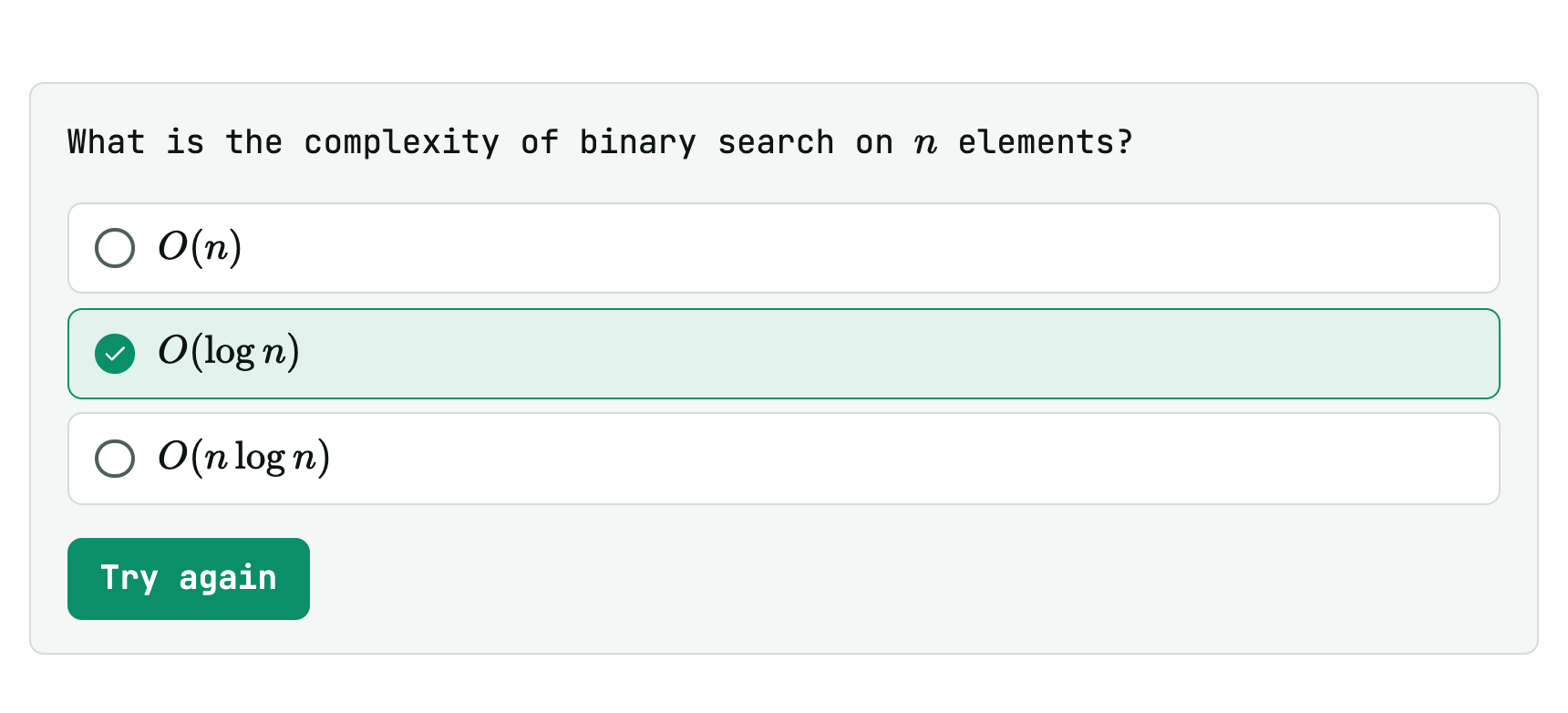
- Everything before the list is the question, in Markdown (math and
codework). - [x]marks the right options,- [ ]the wrong ones.- One right option: single choice. More than one: multiple choice, with square boxes.
```quiz
Which structures give the smallest element in $O(1)$?
- [x] `priority_queue` with `greater<>`
- [x] `set` (with `begin()`)
- [ ] unsorted `vector`
- [ ] `unordered_set`
```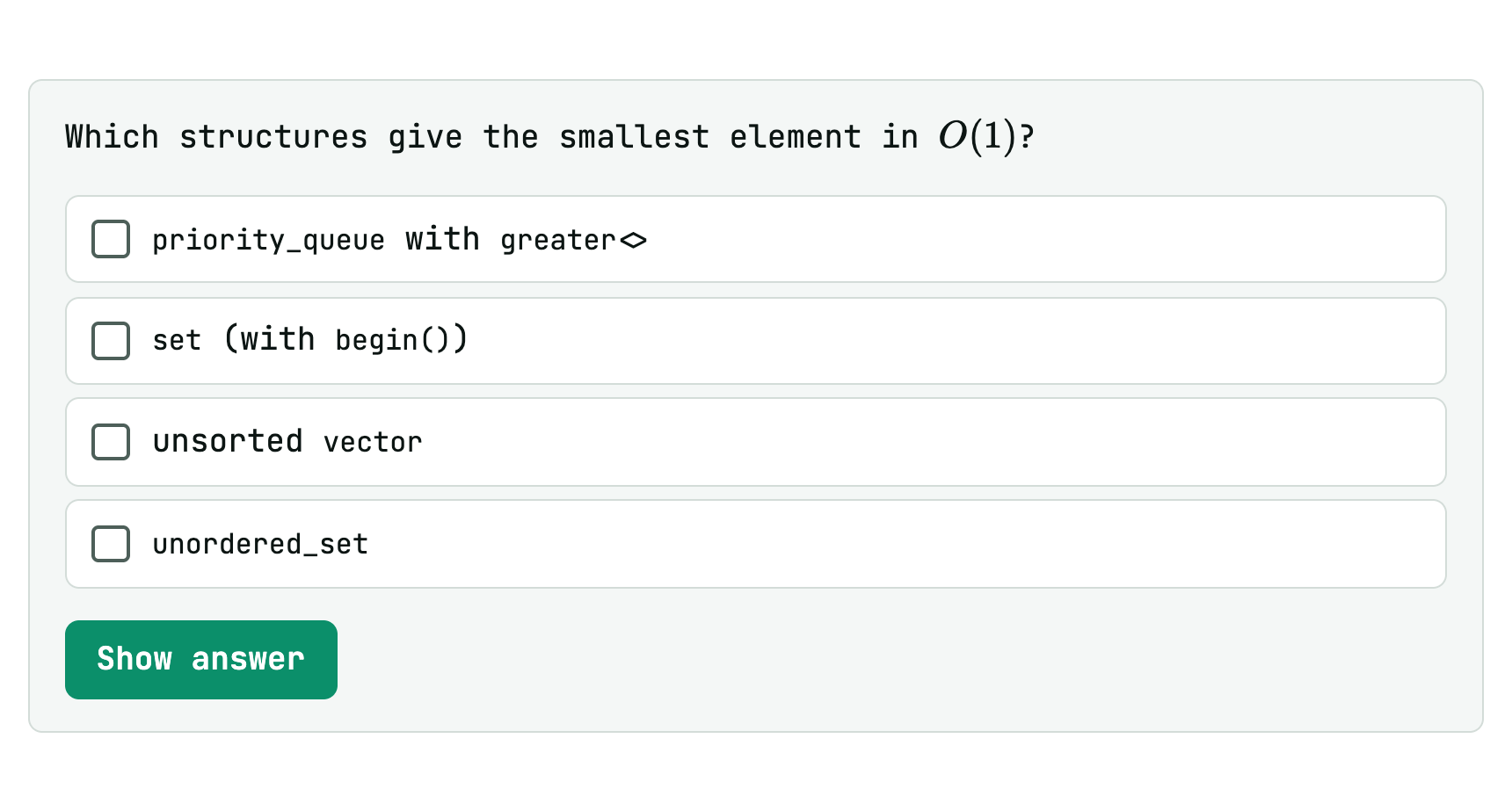
Answers stay hidden until someone clicks Show answer. If the choice is right (every correct option and no wrong one), confetti flies.
Exercise in steps
Two HTML comments split a stretch into steps, with Back and Next. The page shows one step at a time:
<!-- step: Statement -->
Read $n$ and print the sum from $1$ to $n$.

<!-- step: Hint -->
There is a closed formula: $\frac{n(n+1)}{2}$.

<!-- step: Solution -->
```cpp
#include <iostream>
int main() {
    long long n;
    std::cin >> n;
    std::cout << n * (n + 1) / 2 << "\n";
}
```

```stdin
100
```

```expected
5050
```
<!-- /steps -->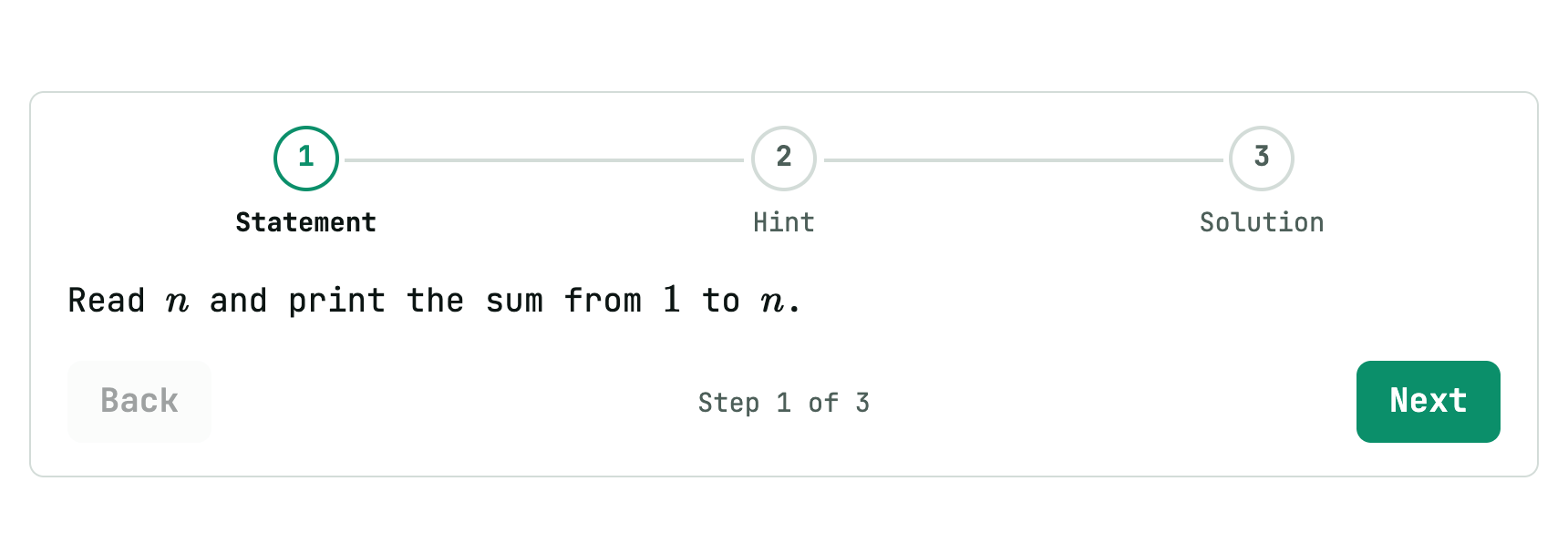
<!-- step: Title -->opens a step; the title shows in the track at the top.<!-- /steps -->closes the exercise. Without it, the steps run to the end of the file.- Anything works inside steps: runnable blocks, cases, questions, formulas.
Formulas
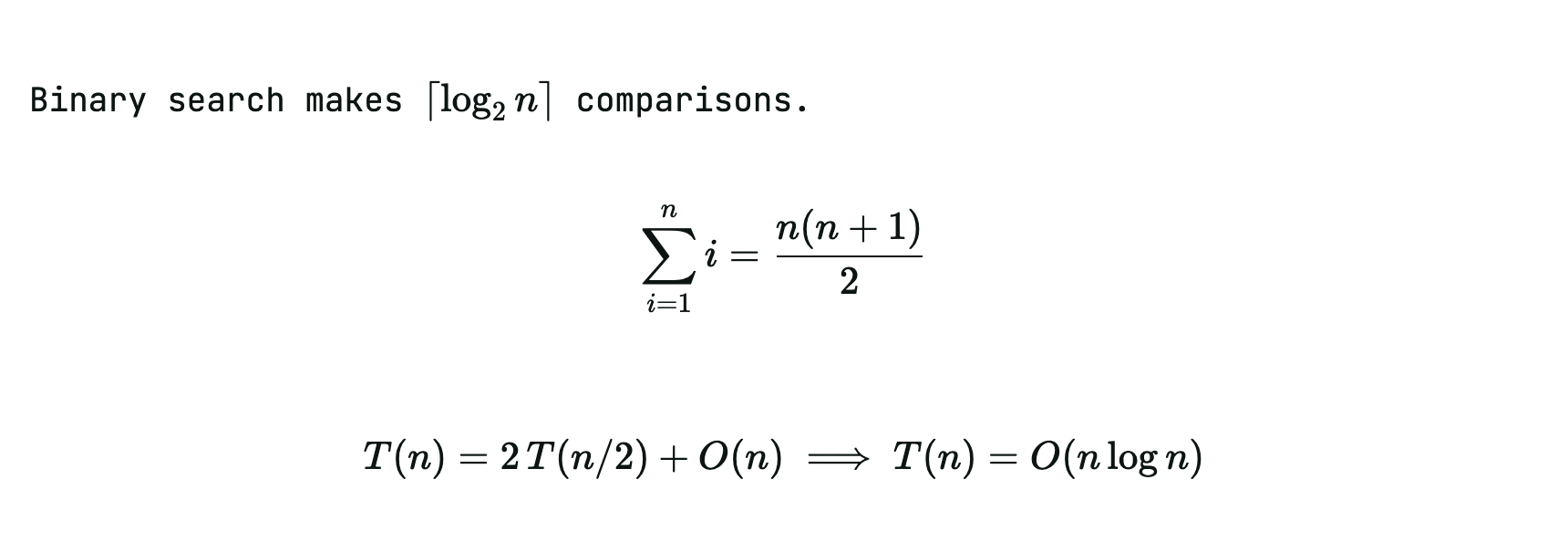
KaTeX, drawn locally:
Binary search makes $\lceil \log_2 n \rceil$ comparisons.

$$
\sum_{i=1}^{n} i = \frac{n(n+1)}{2}
$$

```math
T(n) = 2\,T(n/2) + O(n) \implies T(n) = O(n \log n)
```
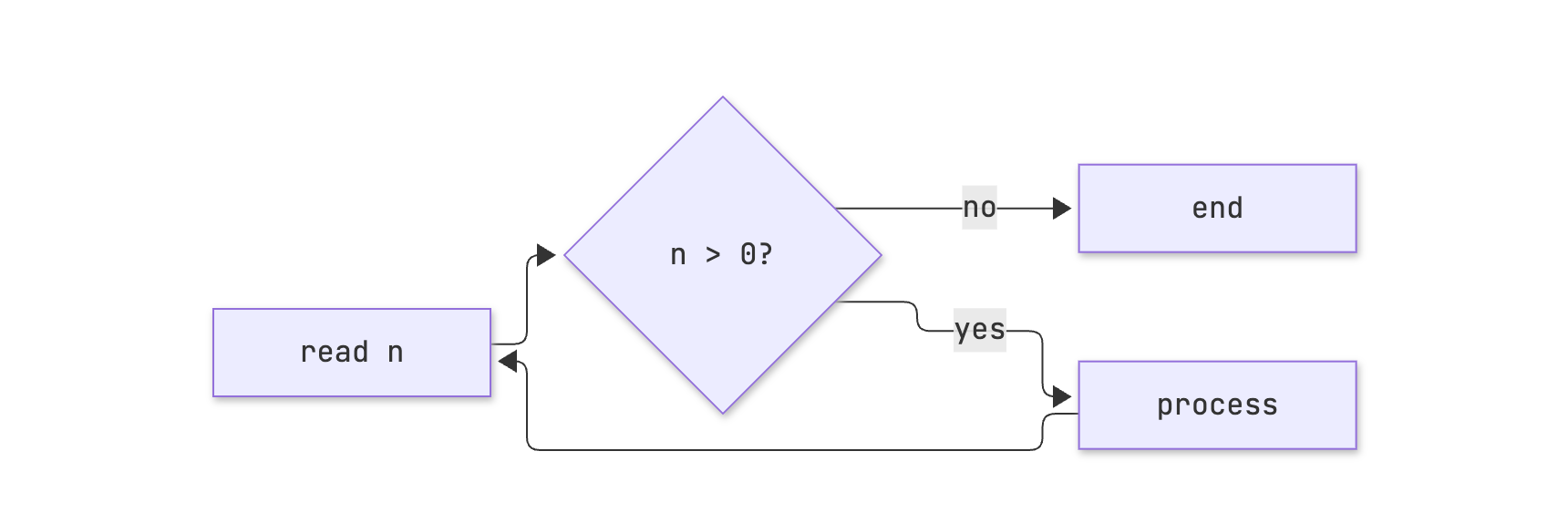
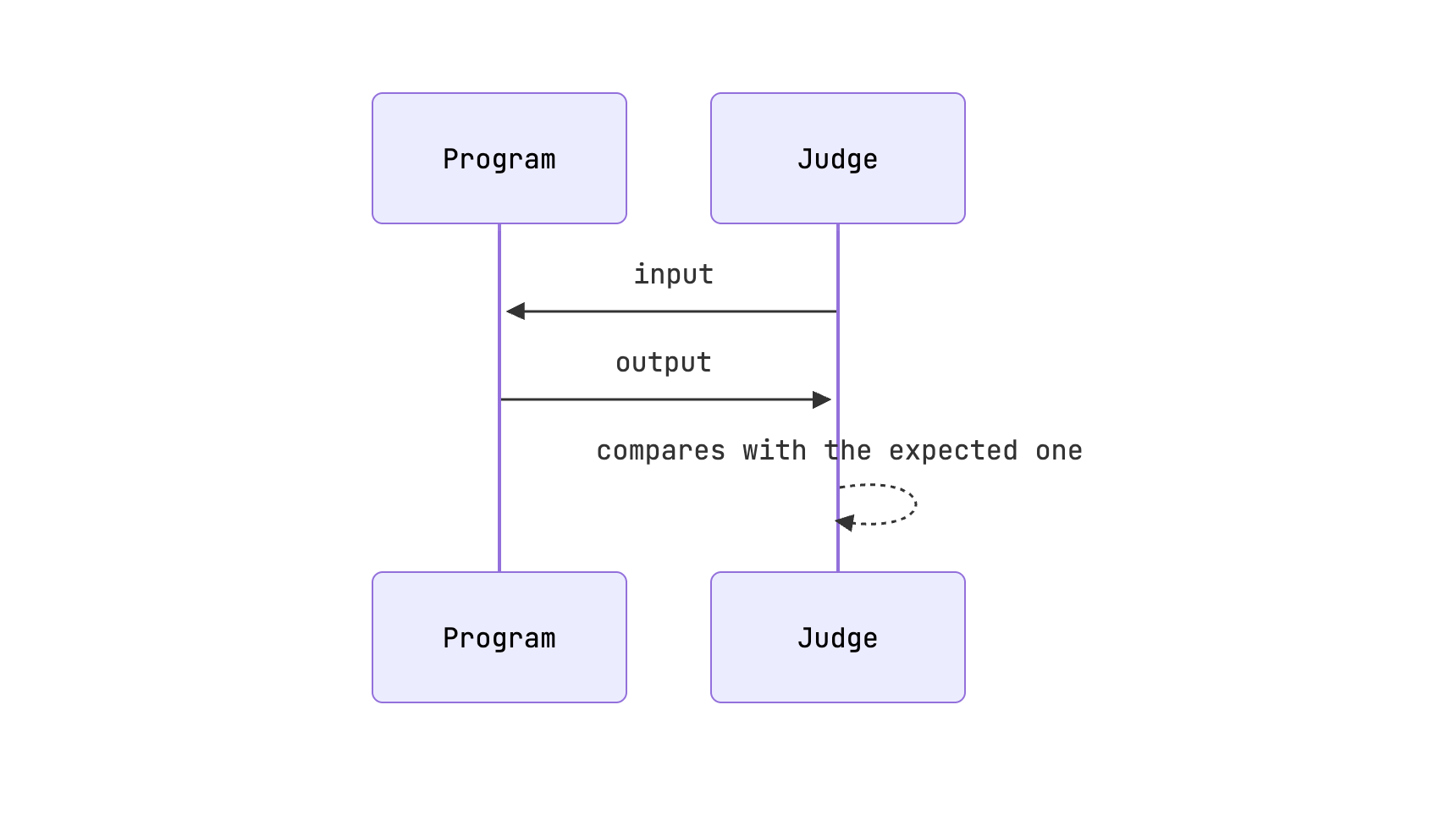
Diagrams
Mermaid, loaded only when the lesson has a diagram and redrawn when the theme changes:
```mermaid
graph LR
  A[read n] --> B{n > 0?}
  B -- yes --> C[process]
  C --> A
  B -- no --> D[end]
```
```mermaid
sequenceDiagram
  participant P as Program
  participant J as Judge
  J->>P: input
  P->>J: output
  J-->>J: compares with the expected one
```
Callout boxes
> [!NOTE]
> `int` goes up to 2 147 483 647.

> [!TIP] Contest tip
> When in doubt, `long long`.

> [!WARNING]
> `endl` flushes the buffer on every line: for large outputs, use `'\n'`.

> [!CAUTION]
> Reading with `cin` without `ios::sync_with_stdio(false)` may exceed the time limit.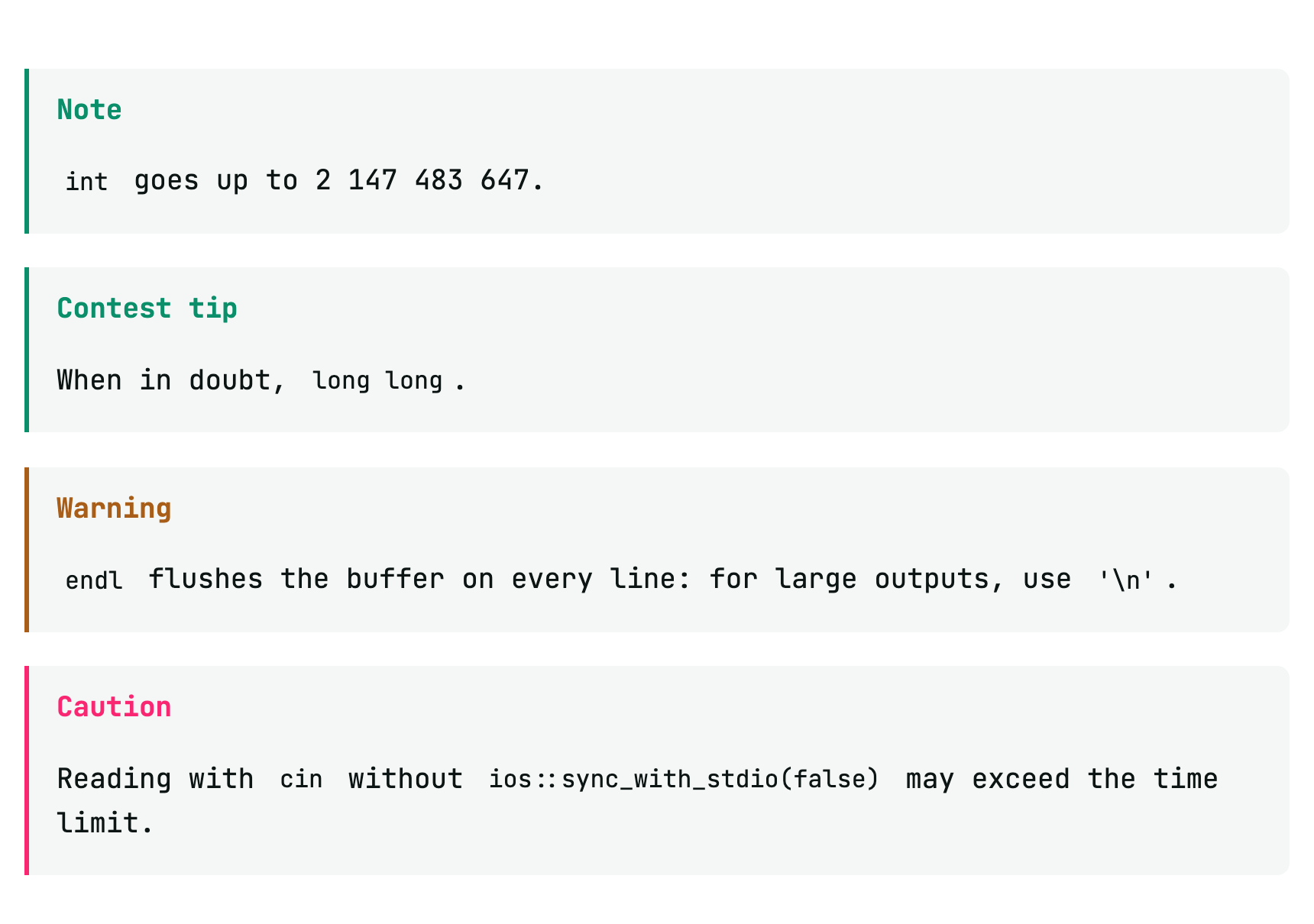
Types: NOTE, TIP, IMPORTANT, WARNING, CAUTION. Text after the type becomes the box title.
GitHub Markdown
Tables, strikethrough, autolinks, task lists and footnotes:
| Structure | Insert | Smallest |
|---|---|---|
| `set` | $O(\log n)$ | $O(1)$ |
| `vector` | $O(1)$ | $O(n)$ |

- [x] read the statement
- [ ] test the extreme case

See the documentation[^ref].

[^ref]: https://en.cppreference.com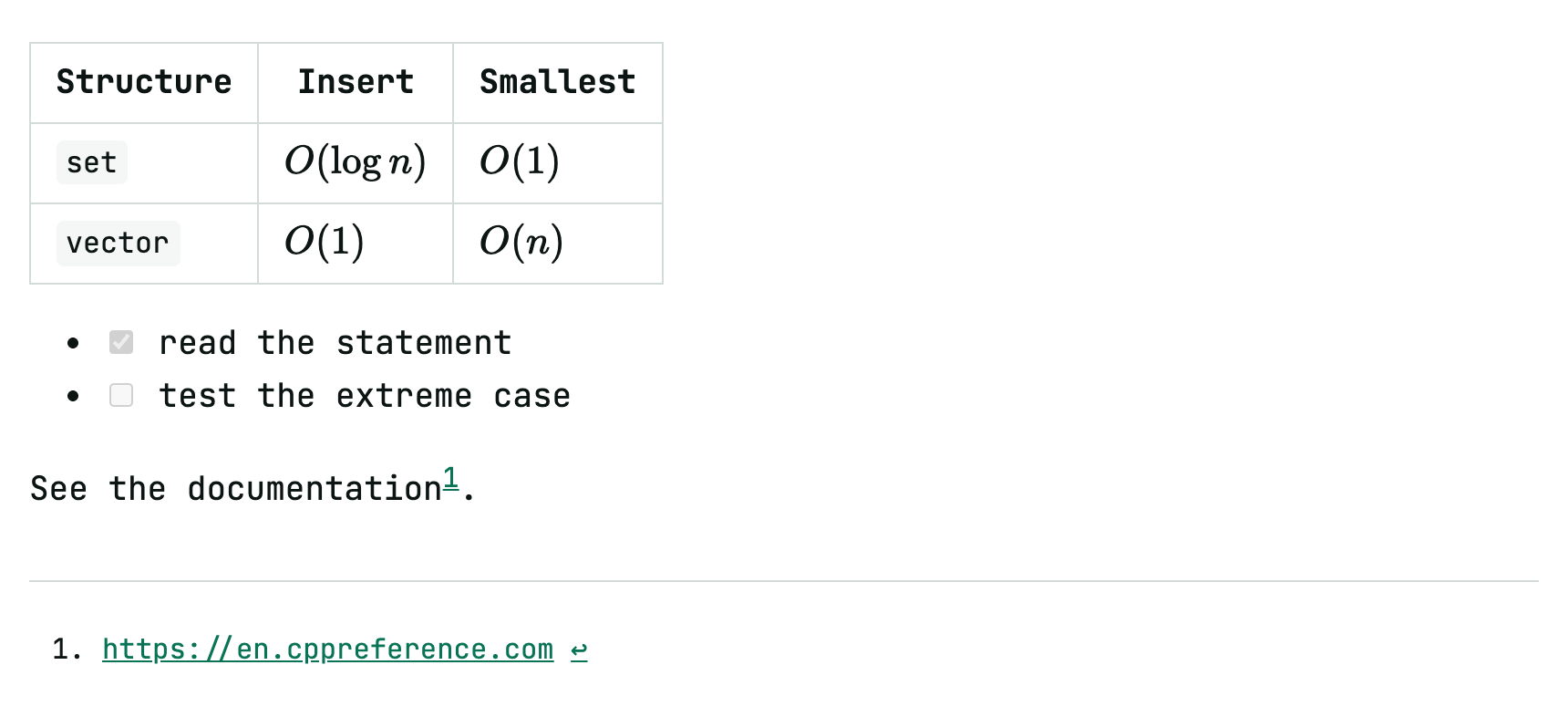
HTML, images and pages
HTML is accepted as is. Files next to the .md are served by Trunade! itself:
<img src="figures/tree.png" alt="Recursion tree" width="480">

<div style="display: grid; grid-template-columns: 1fr 1fr; gap: 1rem">
  <div>Before</div>
  <div>After</div>
</div>
Iframes take the text width. A local page is scaled down to fit and its height follows the content. An external page wider than the text must state the width it uses, and Trunade! scales it down:
<iframe src="visualization.html"></iframe>
<iframe src="https://visualgo.net/en/sorting" data-width="1200" height="640"></iframe>
Reveal on reaching the section
To keep a striking image, an answer or a spoiler for the right moment, put data-reveal on the element. It stays invisible, with its space kept (the page does not jump), until the heading of its section reaches the top of the screen. Then it appears, with a short transition, and stays.
## Section 1

Text that comes before.

## Section 2

<img src="img/impact.gif" alt="" height="300" data-reveal>

<div data-reveal>

The **secret** can also be Markdown text, a list, a formula or a table.

</div>- It works on any HTML element:
<img>,<div>,<svg>,<iframe>,<p>. A Markdown image () must become<img … data-reveal>. - The “section” is the last heading (
#,##or###) before the element. With no heading before it, it shows right away. - In the lesson’s last section, which may not be able to reach the top, the element appears when the page reaches its end.
- A GIF starts from its first frame when it appears.
- Inside
<div data-reveal>, leave a blank line after the opening tag and before the closing one, so the Markdown works. Code blocks do not go in: they stay visible. - In the PDF everything is visible. In the exported HTML it behaves as in class.
See the examples for whole lessons built with all of this.