

Examples
Recipes to copy and paste. Each one shows the Markdown and, below it, the Trunade! page with the real run (g++-16). The syntax page explains each piece.
A contest problem
The template hides the header; the cases play the judge. The first case is the one from the statement and the second is the extreme case.
```cpp template=contest
#include <bits/stdc++.h>
using namespace std;
//{code}
```

## Sum of an array

```cpp-contest
int main() {
    int n;
    cin >> n;
    long long sum = 0;
    for (int i = 0; i < n; i++) {
        long long x;
        cin >> x;
        sum += x;
    }
    cout << sum << '\n';
}
```

```stdin
3
1 2 3
```

```expected
6
```

```stdin
2
2000000000 2000000000
```

```expected
4000000000
```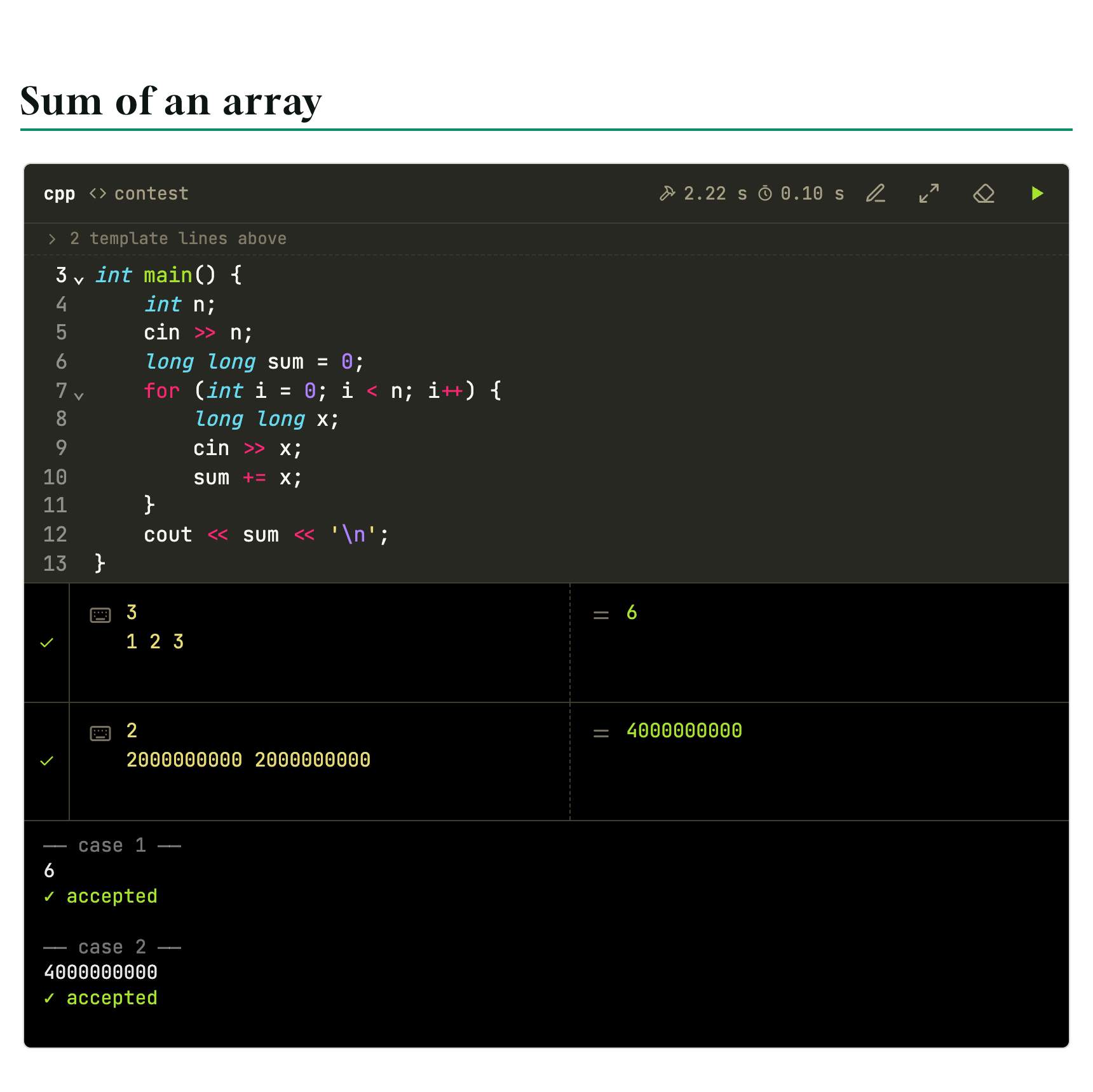
Both cases get ✓.
Passed the sample, failed the test
The same problem with int. Every student needs to see this once:
```cpp
#include <iostream>
int main() {
    int n, sum = 0;
    std::cin >> n;
    for (int i = 0; i < n; i++) {
        int x;
        std::cin >> x;
        sum += x;
    }
    std::cout << sum << '\n';
}
```

```stdin
3
1 2 3
```

```expected
6
```

```stdin
2
2000000000 2000000000
```

```expected
4000000000
```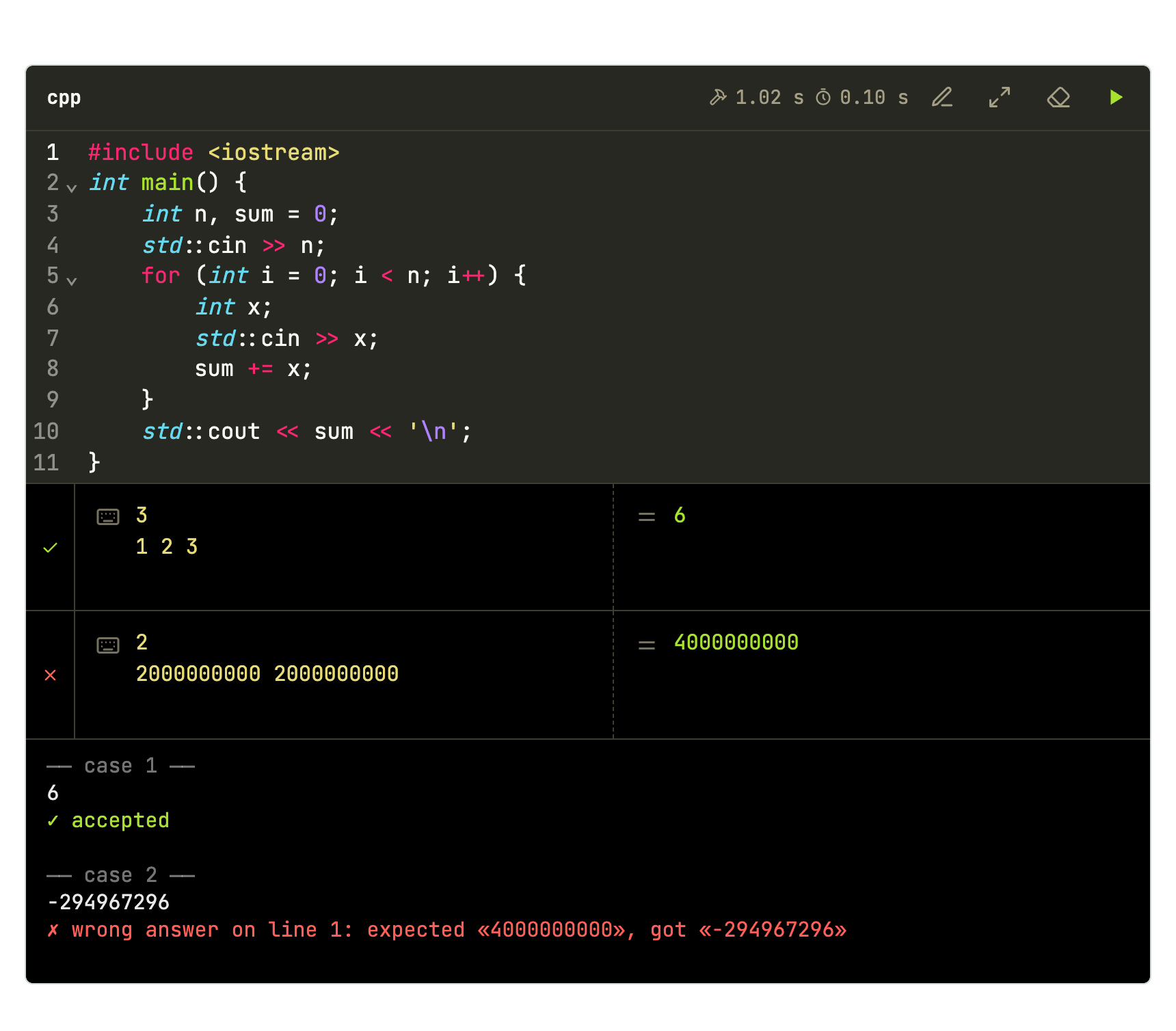
Case 1 gets ✓; case 2 gets ✗, with the line that differs.
Several tests per input
When the problem starts with t tests, put main in the template and keep only solve() on screen:
```cpp template=tests
#include <bits/stdc++.h>
using namespace std;

//{code}

int main() {
    int t;
    cin >> t;
    while (t--) solve();
}
```

```cpp-tests
void solve() {
    long long a, b;
    cin >> a >> b;
    cout << gcd(a, b) << '\n';
}
```

```stdin
3
12 18
7 5
0 9
```

```expected
6
1
9
```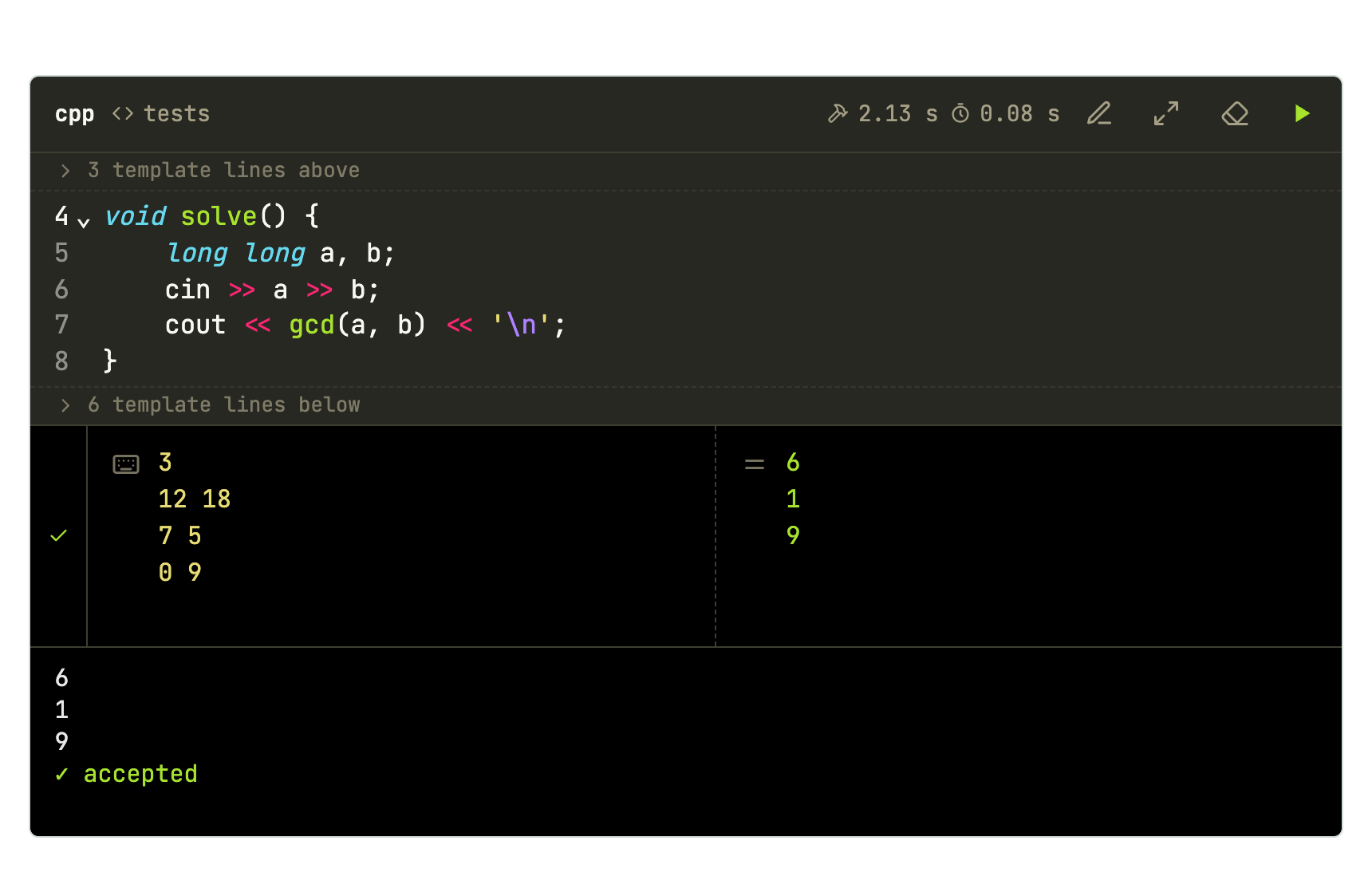
The block shows “3 template lines above” and “6 template lines below”, and the editor numbering starts at line 4. Blocks without -tests stay whole.
Errors are content too
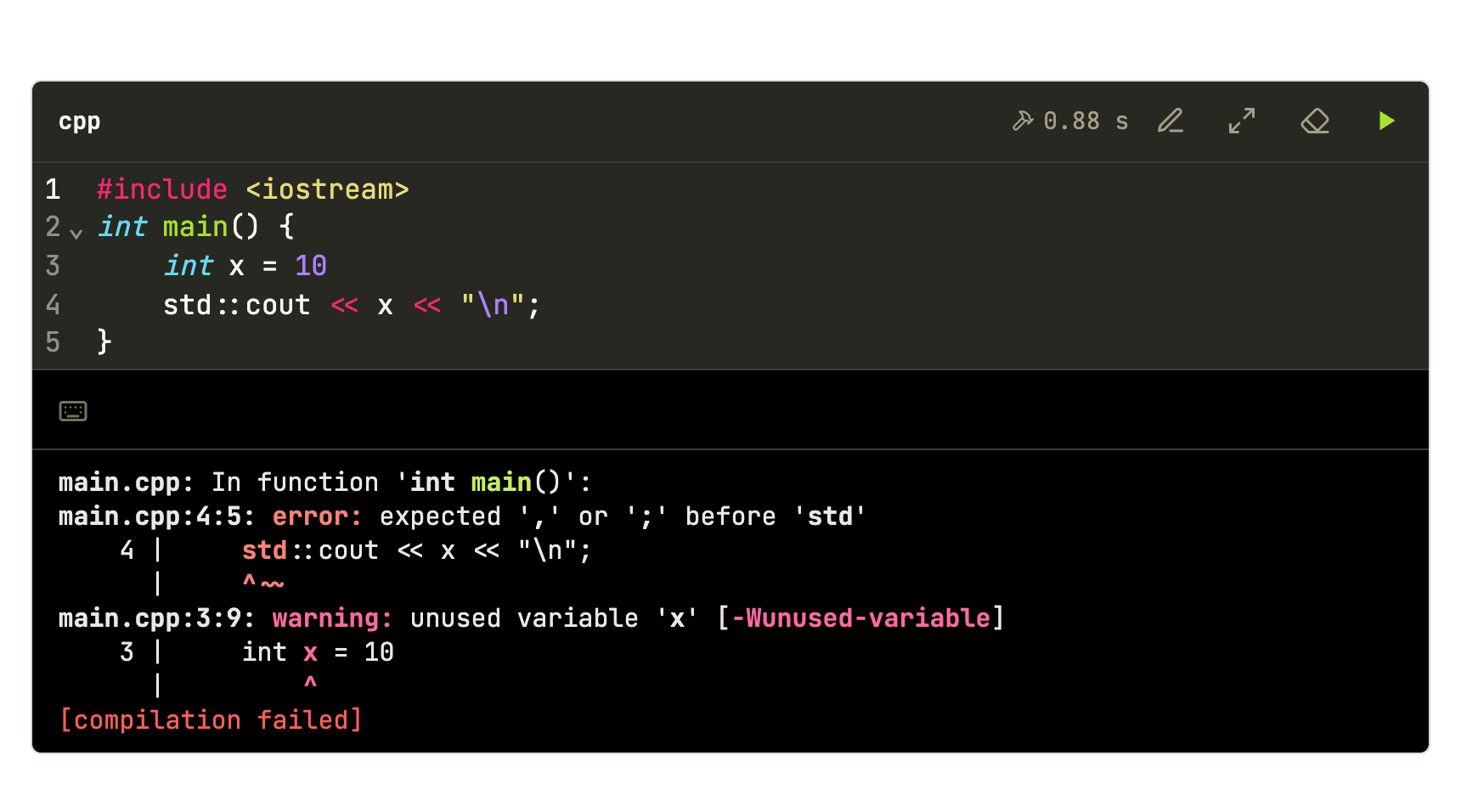
Each block below has an empty stdin: it then runs with a time limit and without waiting for anyone to type.
Compile error: the compiler output shows in full, in color.
```cpp
#include <iostream>
int main() {
    int x = 10
    std::cout << x << "\n";
}
```

```stdin
```
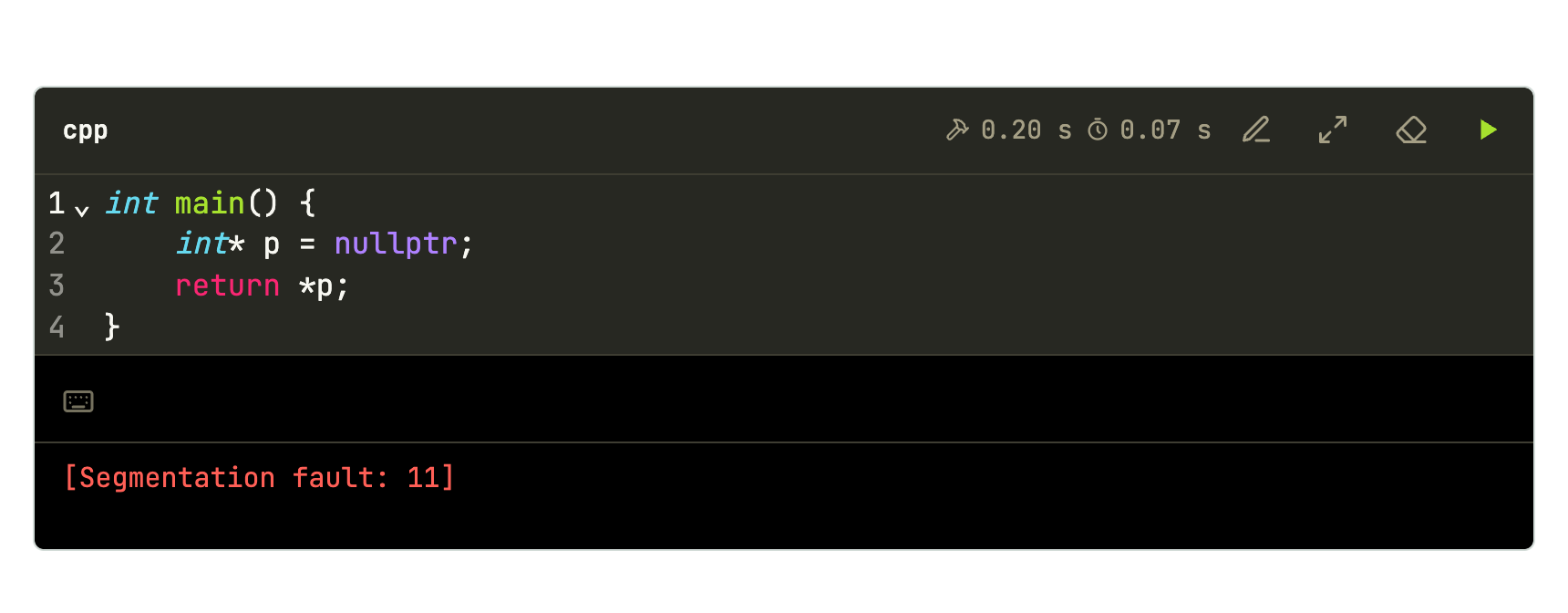
Null pointer access: the signal shows by name.
```cpp
int main() {
    int* p = nullptr;
    return *p;
}
```

```stdin
```
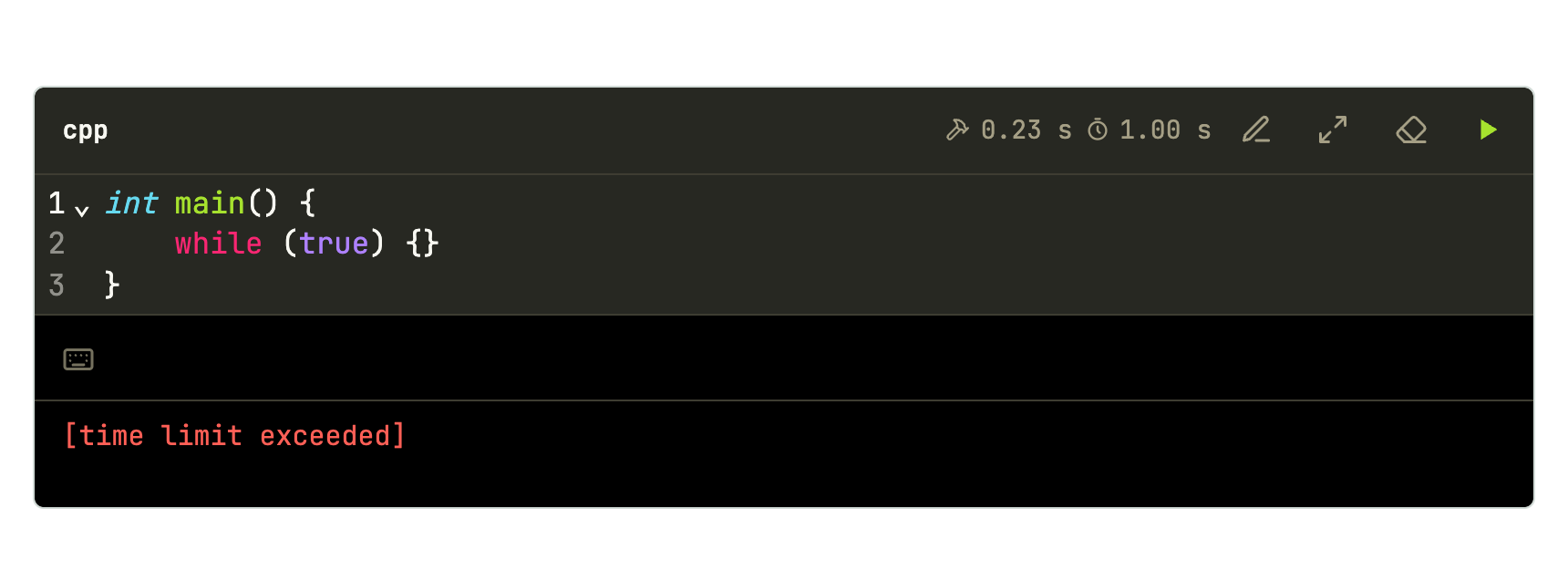
Infinite loop: with timeout, the lesson does not hang.
```cpp {timeout=1}
int main() {
    while (true) {}
}
```

```stdin
```
Finding the bug with a flag
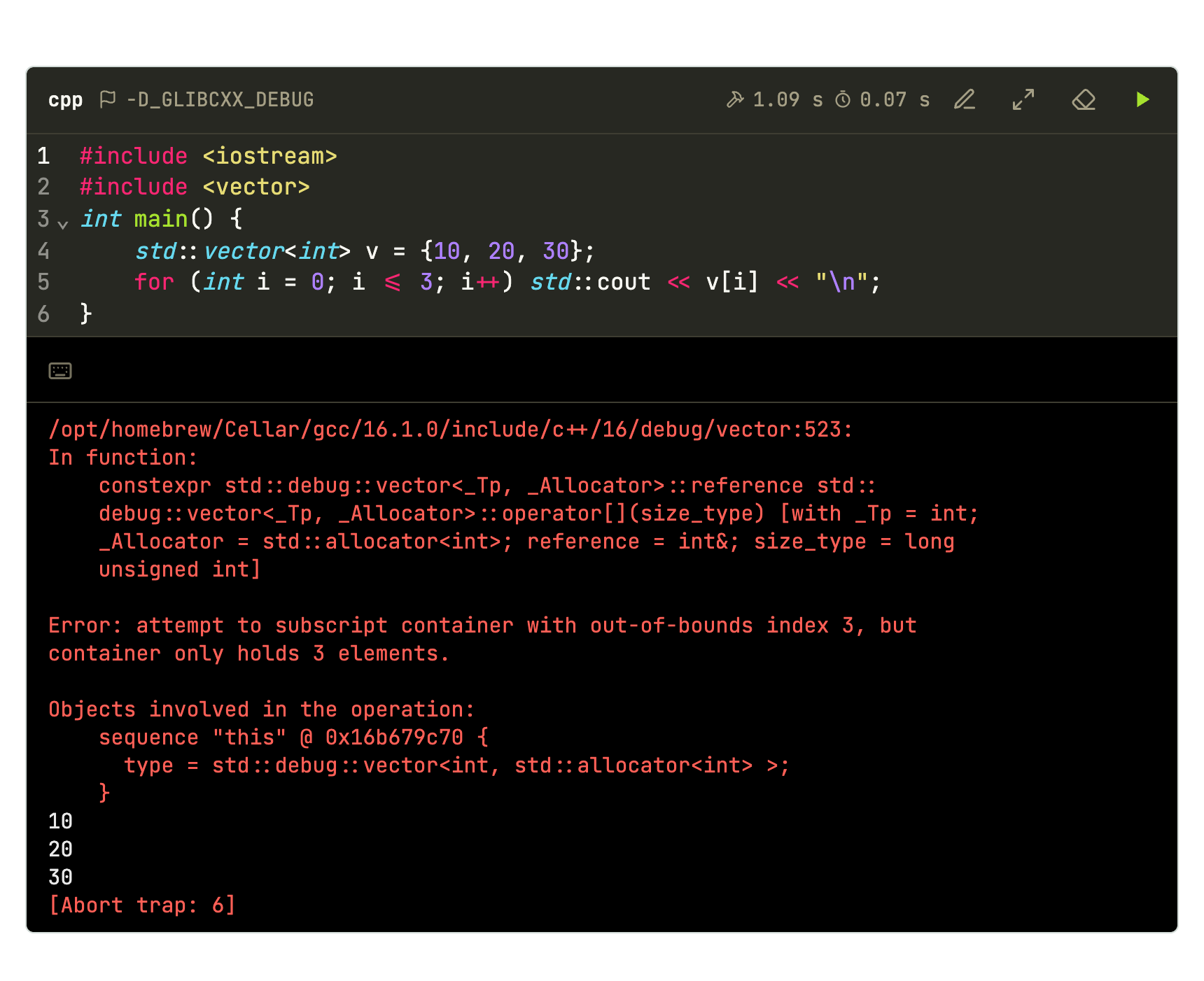
-D_GLIBCXX_DEBUG turns on the standard library checks. The out-of-bounds access that used to pass silently becomes an explained error:
```cpp {flags="-D_GLIBCXX_DEBUG"}
#include <iostream>
#include <vector>
int main() {
    std::vector<int> v = {10, 20, 30};
    for (int i = 0; i <= 3; i++) std::cout << v[i] << "\n";
}
```

```stdin
```
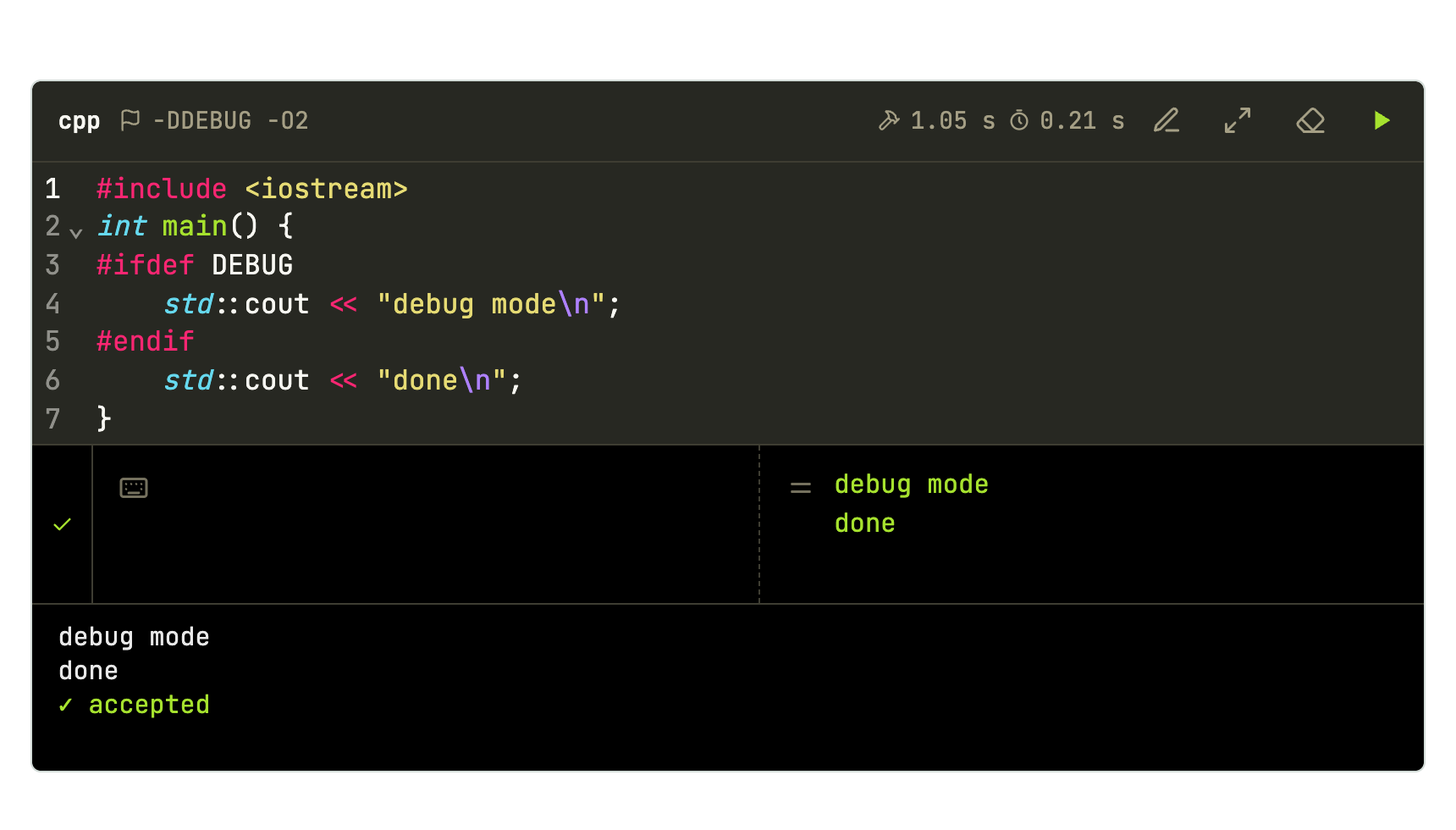
Another useful flag is -DDEBUG, to switch debugging code on with #ifdef DEBUG:
```cpp {flags="-DDEBUG -O2"}
#include <iostream>
int main() {
#ifdef DEBUG
    std::cout << "debug mode\n";
#endif
    std::cout << "done\n";
}
```

```expected
debug mode
done
```
Interactive program
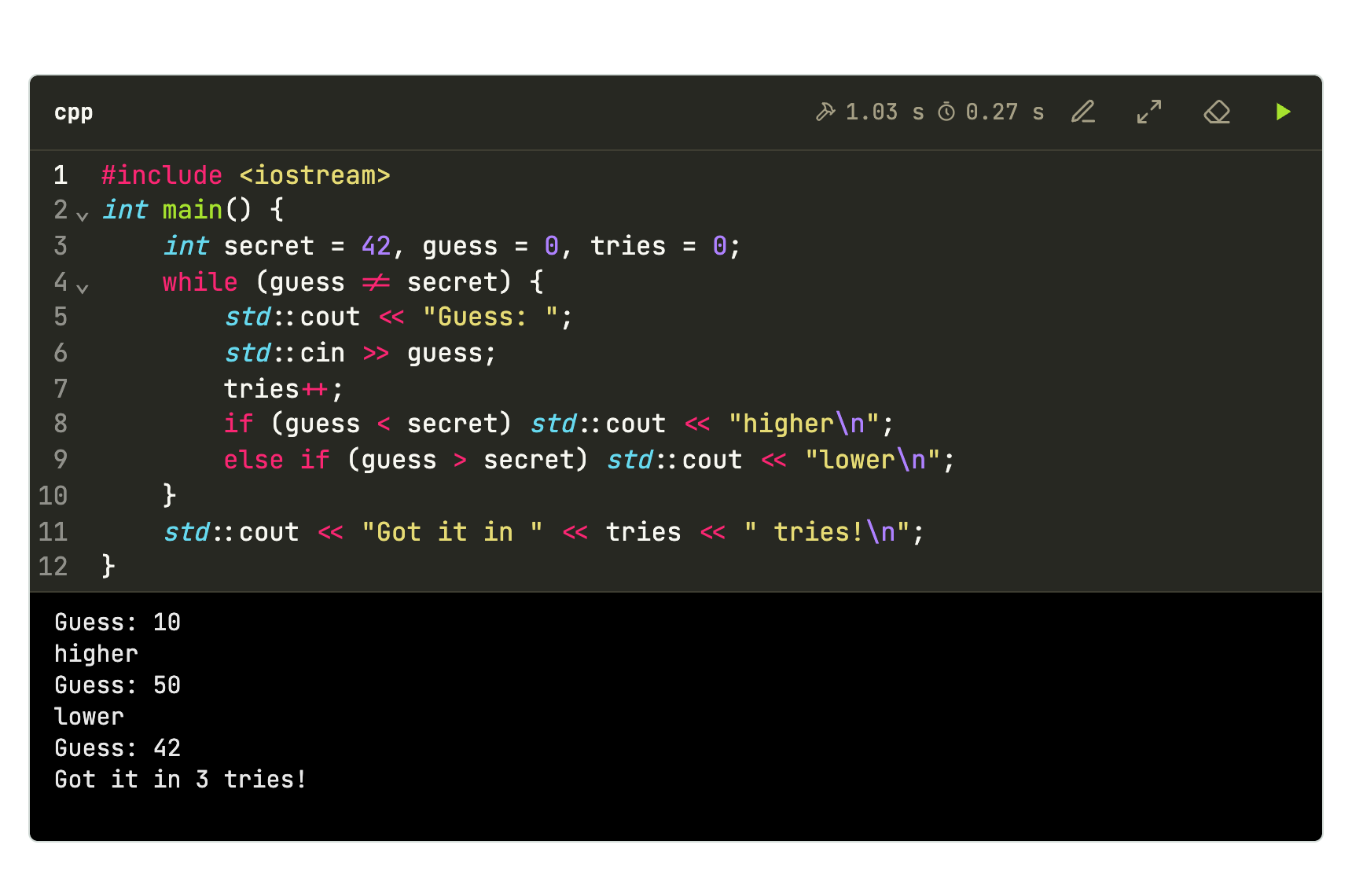
With no stdin, the class plays right in the page’s terminal:
```cpp
#include <iostream>
int main() {
    int secret = 42, guess = 0, tries = 0;
    while (guess != secret) {
        std::cout << "Guess: ";
        std::cin >> guess;
        tries++;
        if (guess < secret) std::cout << "higher\n";
        else if (guess > secret) std::cout << "lower\n";
    }
    std::cout << "Got it in " << tries << " tries!\n";
}
```
Python, with fast input
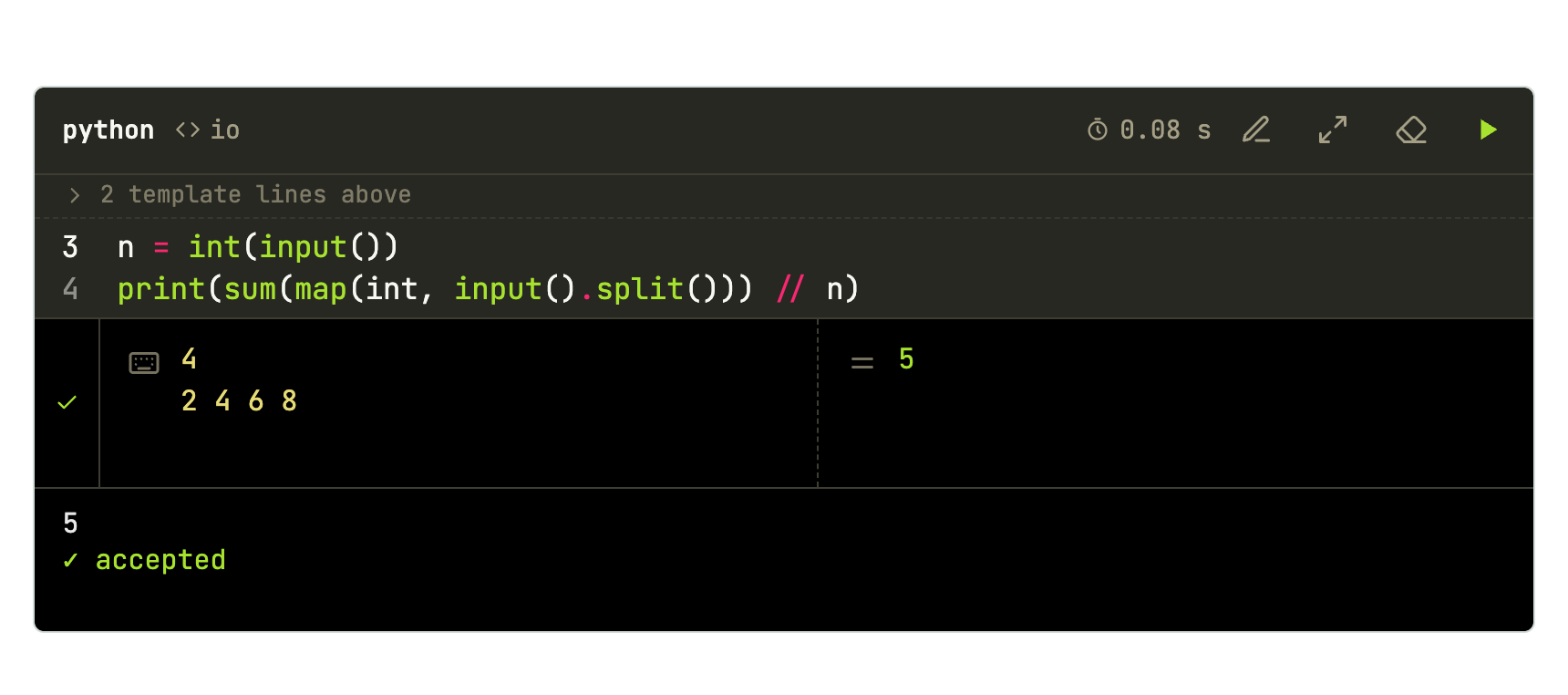
```python template=io
import sys
input = sys.stdin.readline
# {code}
```

```python-io
n = int(input())
print(sum(map(int, input().split())) // n)
```

```stdin
4
2 4 6 8
```

```expected
5
```
Exercise in steps, with a question
The statement first, then a question for the class to think about, and finally the solution that runs:
<!-- step: Statement -->
Given $n$ numbers, print how many are even.

<!-- step: Think -->
```quiz
Which expression tells whether `x` is even?
- [x] `x % 2 == 0`
- [ ] `x / 2 == 0`
- [x] `(x & 1) == 0`
```

<!-- step: Solution -->
```cpp
#include <iostream>
int main() {
    int n, even = 0;
    std::cin >> n;
    for (int i = 0; i < n; i++) {
        int x;
        std::cin >> x;
        if (x % 2 == 0) even++;
    }
    std::cout << even << "\n";
}
```

```stdin
5
1 2 3 4 6
```

```expected
3
```
<!-- /steps -->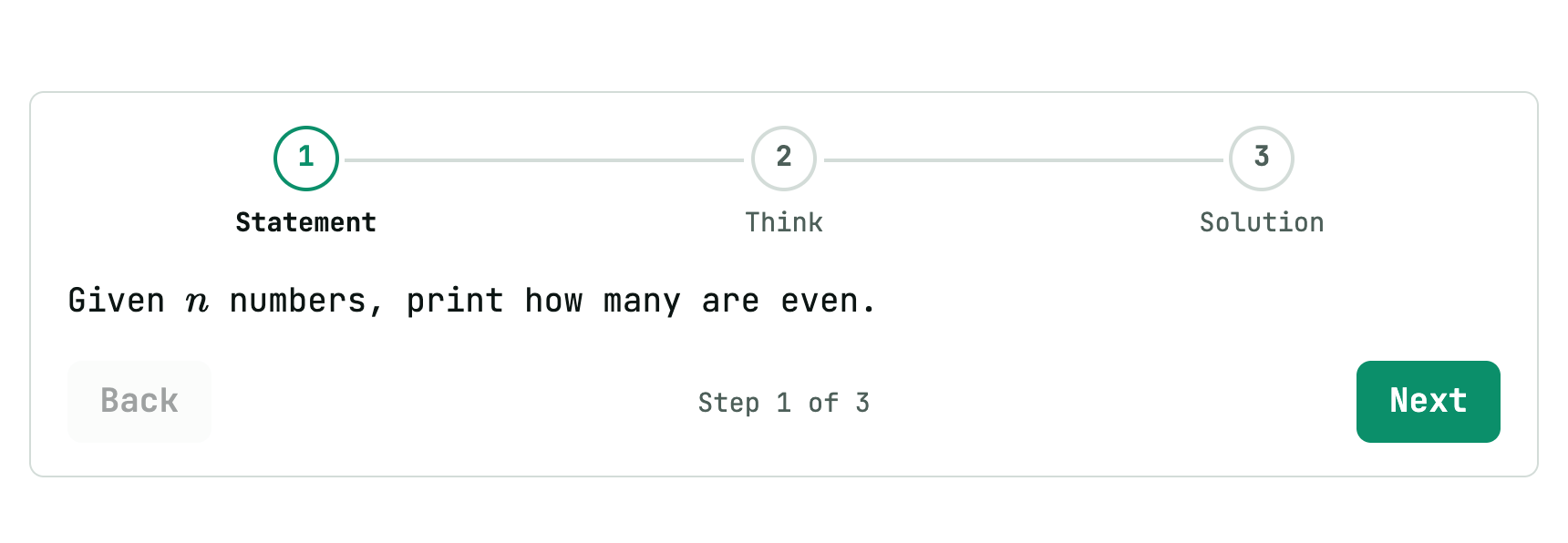
Theory with a formula and a diagram
## Merge sort

Each level of the recursion does $O(n)$ work, and there are $\log_2 n$ levels:

$$
T(n) = 2\,T\!\left(\frac{n}{2}\right) + O(n) = O(n \log n)
$$

```mermaid
graph TD
  A["[5 2 4 1]"] --> B["[5 2]"]
  A --> C["[4 1]"]
  B --> D["[2 5]"]
  C --> E["[1 4]"]
  D --> F["[1 2 4 5]"]
  E --> F
```

> [!TIP] In a contest
> The standard library `sort` is already $O(n \log n)$. Write your own only to learn.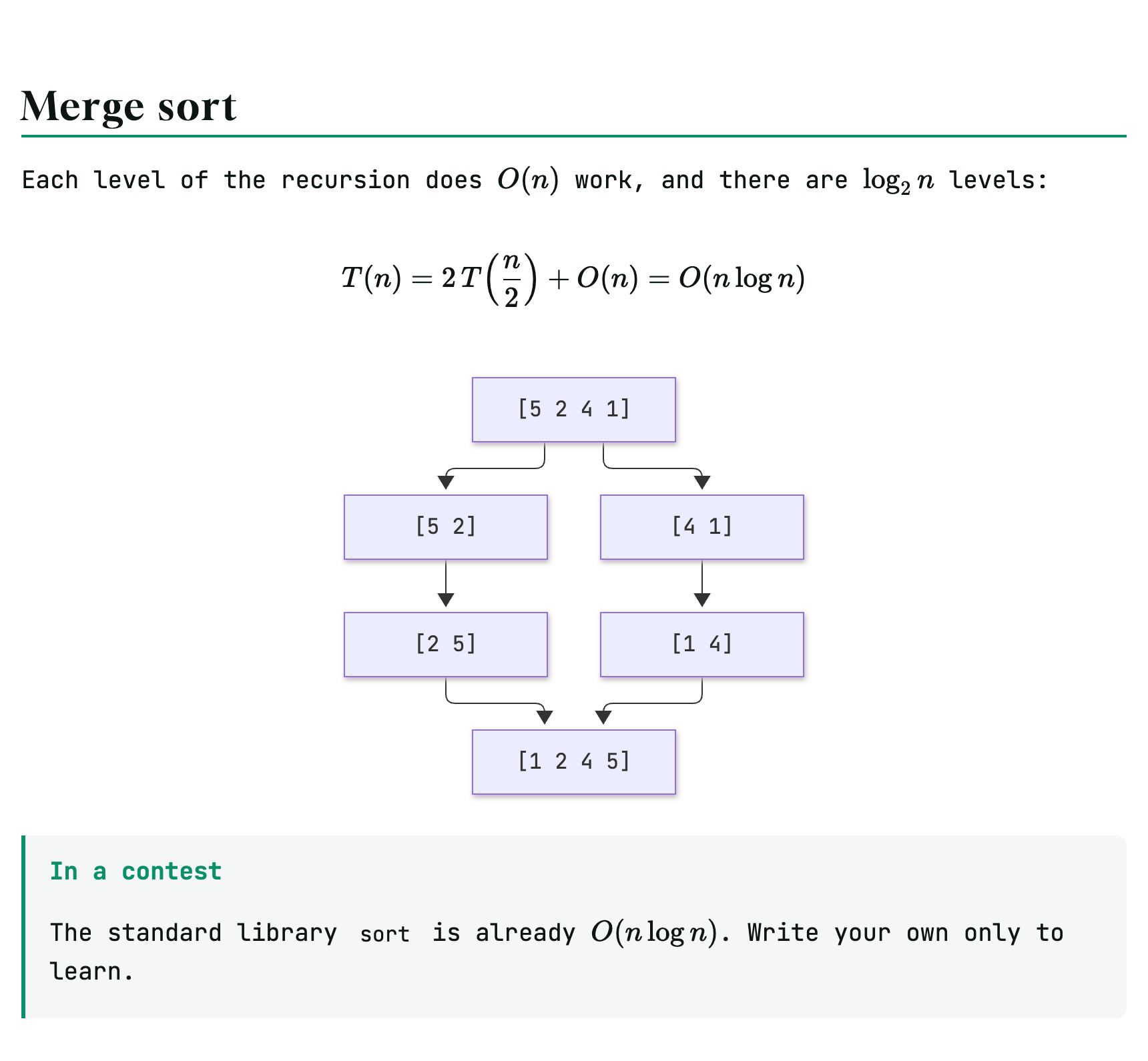
Lesson skeleton
A starting point with everything in place:
# Lesson 7 · Binary search

```cpp template=search
#include <bits/stdc++.h>
using namespace std;
//{code}
```

## Motivation

Looking for a number in a **sorted** array of $10^6$ elements.

```quiz
How many comparisons does linear search make in the worst case?
- [x] $10^6$
- [ ] $20$
- [ ] $\log_2 10^6$
```

## The idea

```mermaid
graph LR
  A[middle] -->|target smaller| B[left half]
  A -->|target larger| C[right half]
```

## Implementation

```cpp-search
int main() {
    vector<int> v = {1, 3, 5, 7, 9, 11};
    int target;
    cin >> target;
    cout << binary_search(v.begin(), v.end(), target) << '\n';
}
```

```stdin
7
```

```expected
1
```

```stdin
4
```

```expected
0
```

## Exercise

<!-- step: Statement -->
Print the position of the first element $\ge x$.

<!-- step: Solution -->
```cpp-search
int main() {
    vector<int> v = {1, 3, 5, 7, 9, 11};
    int x;
    cin >> x;
    cout << lower_bound(v.begin(), v.end(), x) - v.begin() << '\n';
}
```

```stdin
6
```

```expected
3
```
<!-- /steps -->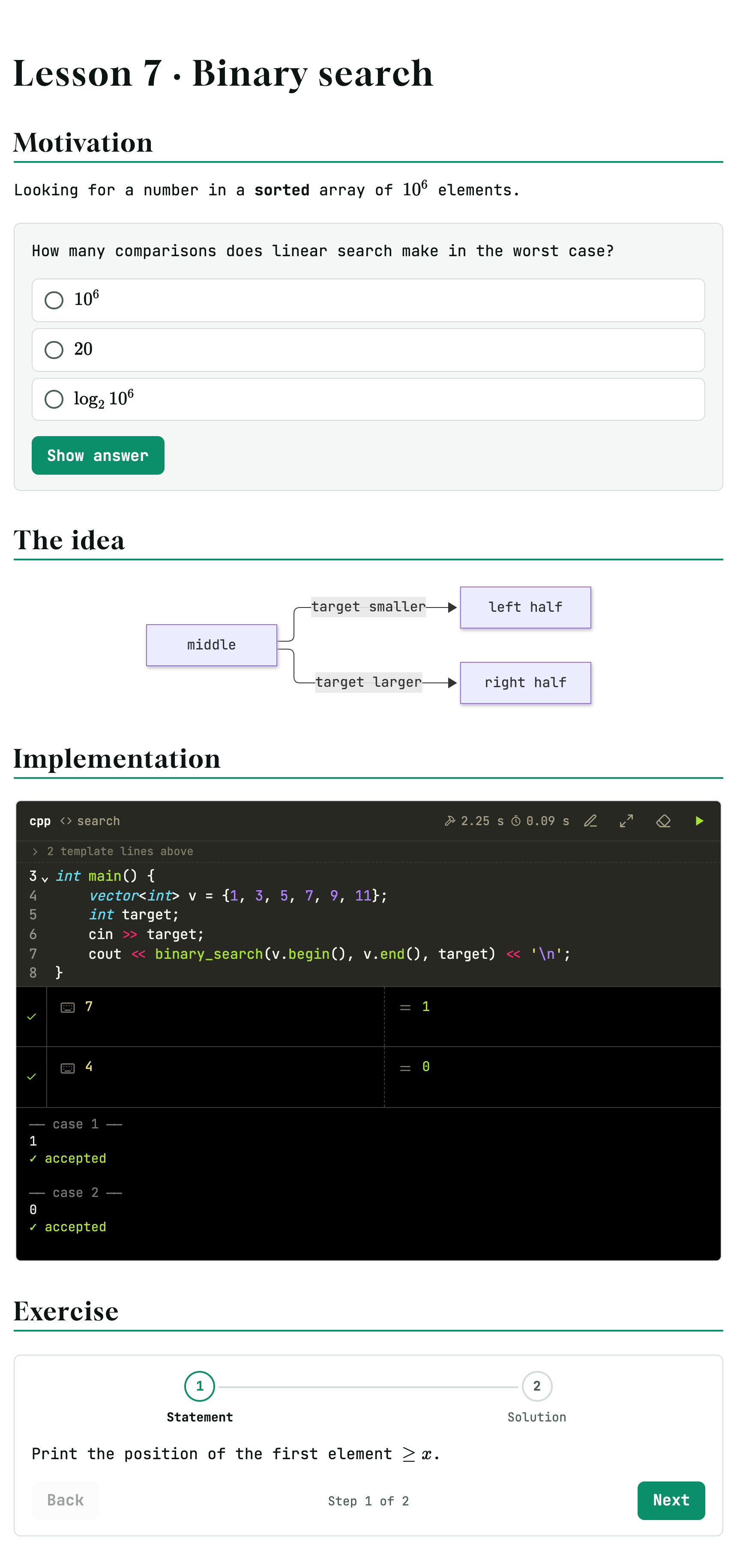
Before class, press R to run every block and make sure nothing broke. Then export the PDF or the HTML from ☰.